
OEVIS®
All-in-one Vision Software for Factory Automation

Key advantages
- No-Code Simplicity
Develop applications without programming. - Industrial AI Ready
Combine rule-based vision and AI inspection. - All-in-One Platform
Vision, AI, HMI and connectivity in one environment. - Open Integration
Connect PLCs, MES, SCADA and cloud systems. - Scalable Architecture
From single-camera systems to complex multi-camera inspections. - Expert Support
Training, documentation and technical assistance.
OEVIS® is a next‑generation machine vision software platform, developed in‑house by Opto Engineering® and designed to enable the creation of advanced inspection applications and custom Deep Learning models without writing code. Its visual development environment and built‑in HMI Designer simplify the creation of the complete vision software application: from connecting cameras and automation devices, to image acquisition and analysis, all the way to operator interfaces.
State‑based Recipes and secure User Management ensure organized and controlled operation even in demanding production environments. OEVIS® does not require proprietary controllers: it runs on standard industrial PCs and integrates with devices from different vendors.
By combining a comprehensive library of rule‑based vision tools with machine‑learning functions, no‑code Deep Learning model training, and native ONNX model deployment, OEVIS® delivers the flexibility needed to handle applications of any complexity: from simple measurements to advanced AI‑powered inspections. Native asynchronous multi‑camera support and high‑performance multithreading options make it easy to build both single‑camera systems and advanced multi‑view configurations. Intuitive debugging tools further streamline development and optimization.
Designed for full industrial integration, OEVIS® software communicates with PLCs and automation devices via Modbus, TCP/IP, OPC UA and other widely used protocols. IT‑ready interfaces such as REST API, HTTP, WebSocket and MQTT enable analytics, dashboards, MES integration and remote monitoring. For advanced customization needs, OEVIS® supports inline C# scripting and native integration of proprietary .NET/C++ code, providing the flexibility required to implement custom logic and advanced algorithms.
Main functionalities
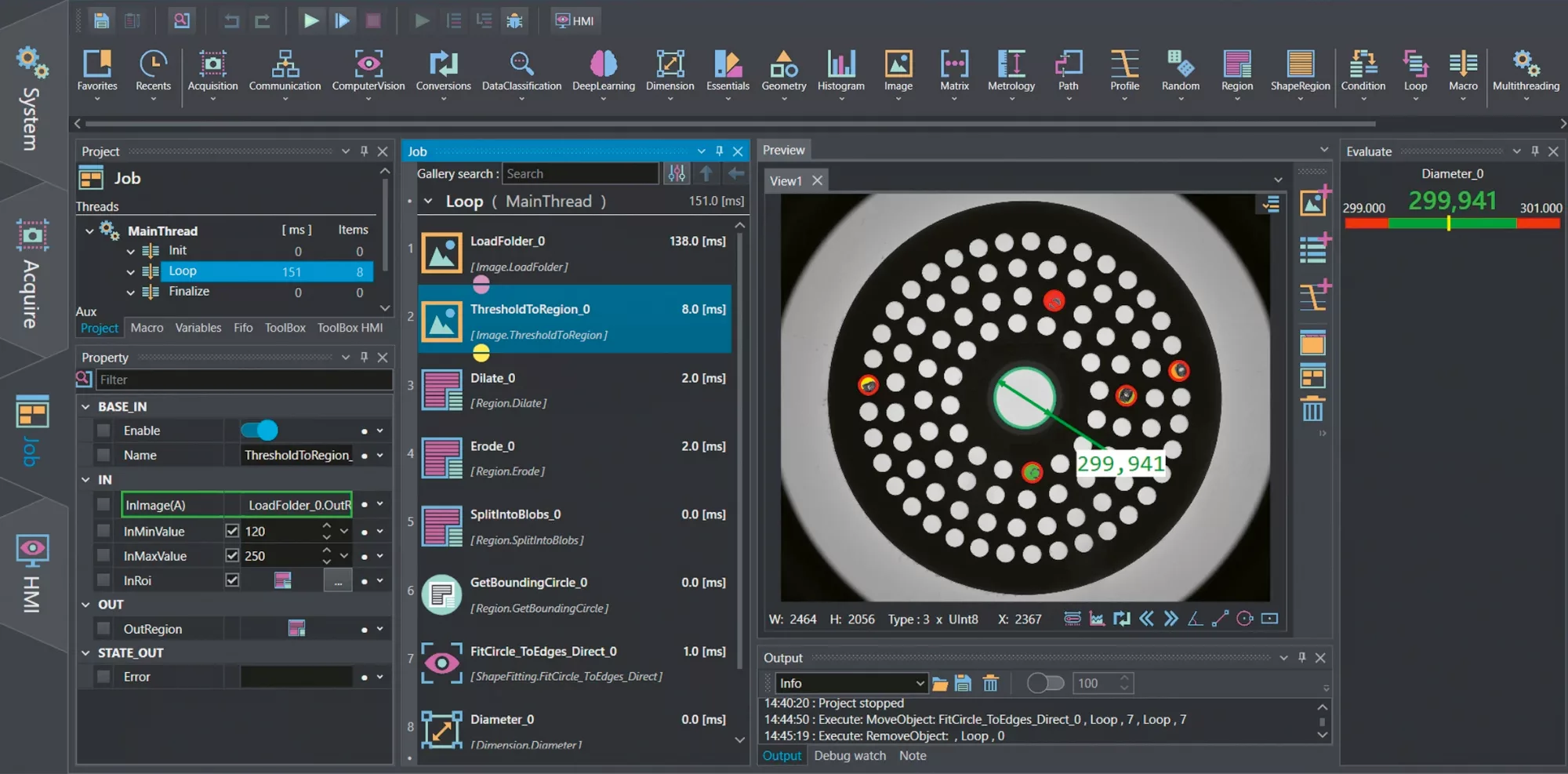
Build vision applications faster with an intuitive, block-based workflow that connects image processing tools, logic blocks, and data paths, no code required.

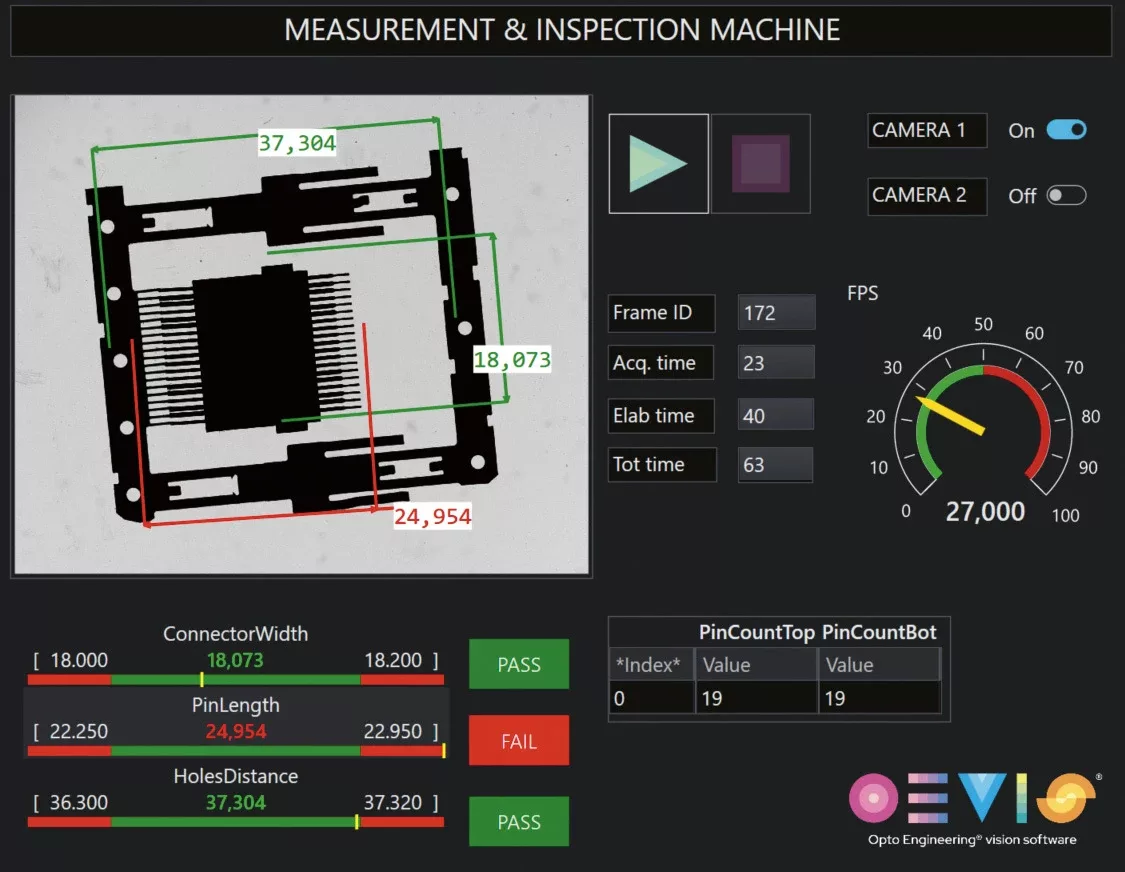
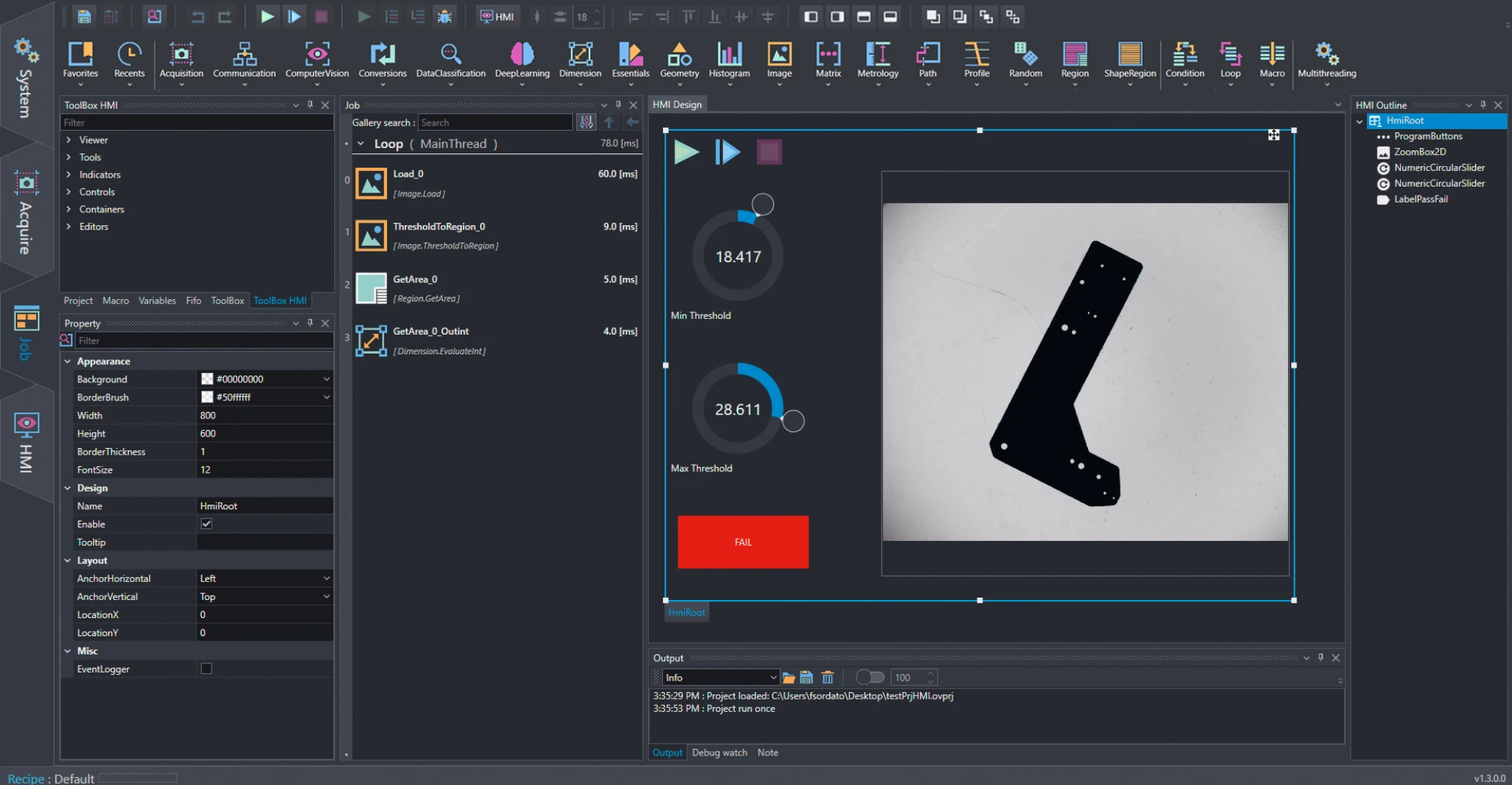
Build modern, customized Human-machine interfaces directly inside OEVIS® using an integrated drag and drop designer. Arrange controls visually, link them to vision tool properties, and extend your UI with .NET/WPF components.

OEVIS® supports asynchronous multi camera acquisition out of the box, enabling flexible multi view or multi station inspection setups without extra licenses or add ons.
Solve any inspection challenge with an extensive toolset covering acquisition, alignment, measurement, defect detection, classification, OCR, blob analysis, and more.
Develop custom AI models without programming through integrated dataset management, image annotation, training, evaluation, and deployment-ready workflows
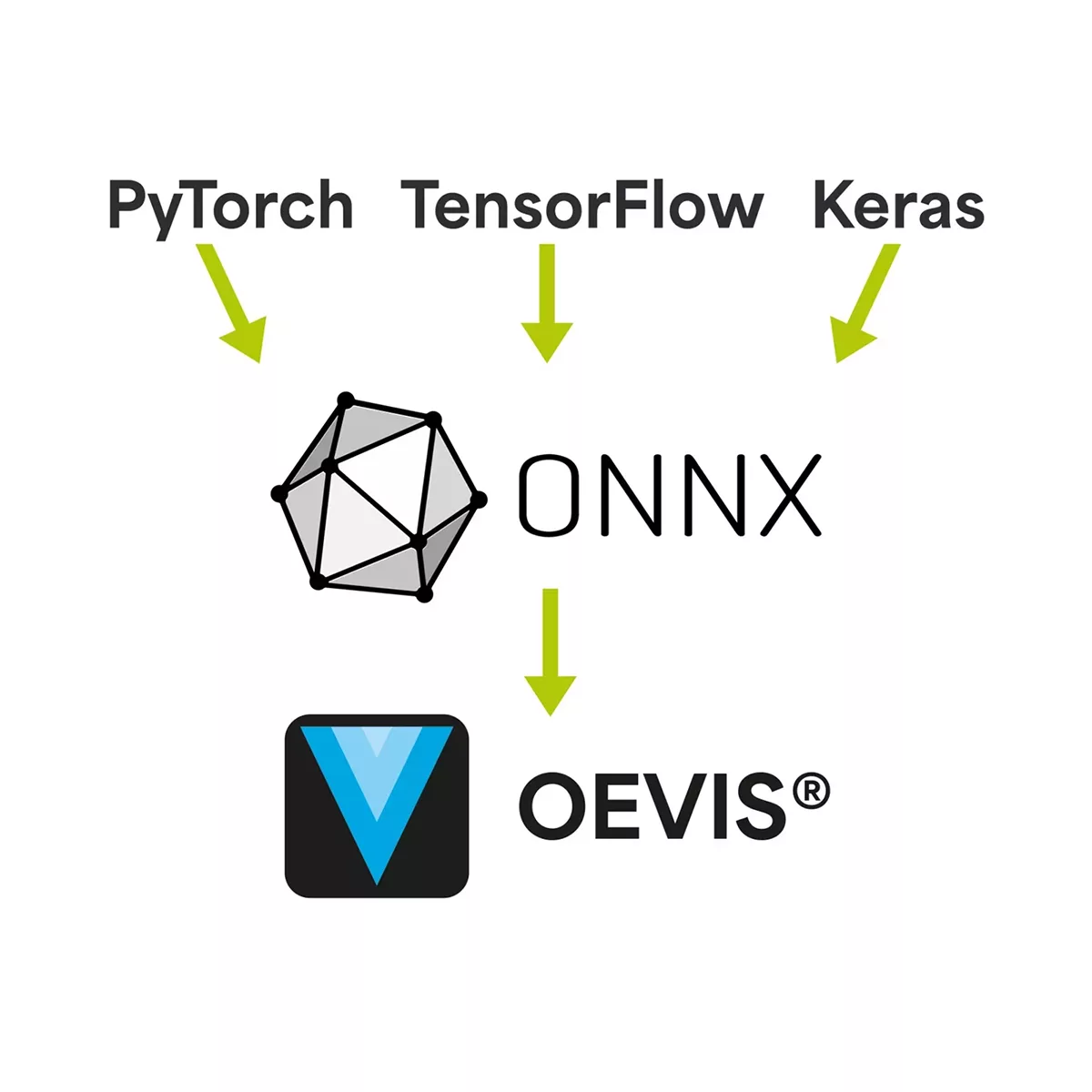
Import and deploy custom AI models trained with frameworks like PyTorch and TensorFlow. Extend OEVIS® capabilities beyond native Deep Learning tools with built-in ONNX support.

Connect smoothly with automation systems using native support for Modbus, TCP/IP, OPC UA, and other industrial protocols. OEVIS® integrates reliably with PLCs, machine controllers, and SCADA environments.
OEVIS® exposes live results and configuration data through a built in REST API, enabling seamless integration with MES, cloud dashboards, and IT systems for remote monitoring, traceability, and analytics.

Parallel execution of algorithms and analysis cycles. Synchronous or asynchronous acquisition from multiple cameras and simultaneous image processing.


Integrate proprietary or third‑party algorithms as native OEVIS® tools using .NET or C++. OEVIS® manages image data, hardware I/O, and execution flow.
Design structured data types to organize complex measurements and multi‑threaded outputs for cleaner integration.
Read challenging text and markings using OCR engines based on Tesseract, PaddleOCR, and EasyOCR technologies.

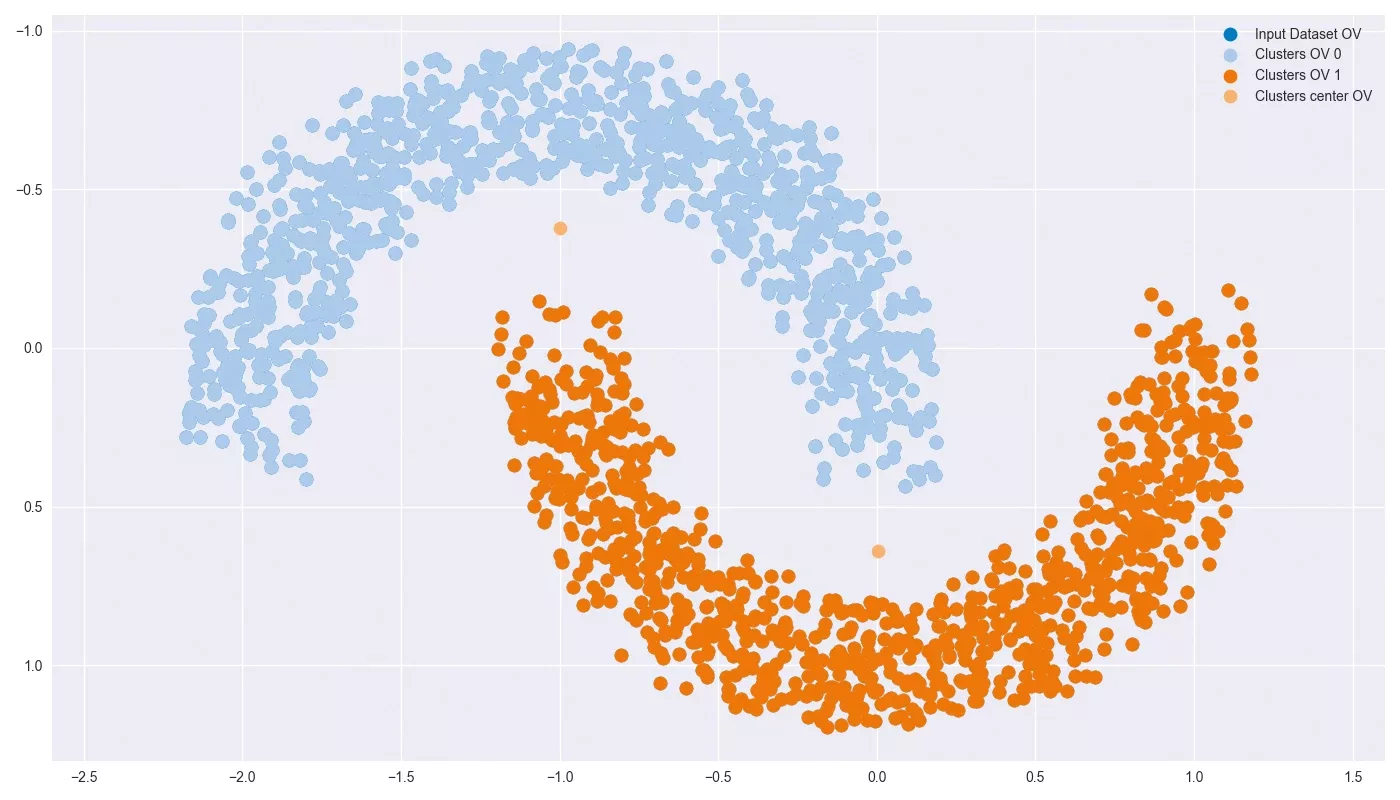
Use classical ML models (MLP, SVM, KNN) and clustering algorithms (KMeans, DBSCAN) ) to solve complex image‑based classifications.

Build complex decision flows visually using macros, loops, timers, and conditions, without writing a single line of code





OEVIS® runs on Windows‑based industrial PCs and integrates smoothly with automation hardware and IT systems, giving machine builders the flexibility to fit vision software into existing engineering environments.

System
- Connect & configure third-party automation hardware via multiple supported communication protocols.
- Manage multiple users access with specific permissions.
- Wide range of supported standards, communication protocols and hardware.
2 Native support
AdLink PC
IMAGO Technologies PC
Neousys PC

Acquire
- Acquire from multiple cameras.
- Preview the live streaming images.
- Directly access all the GenICam parameters of each connected device.
- Supports any GenTL compliant camera.


Job
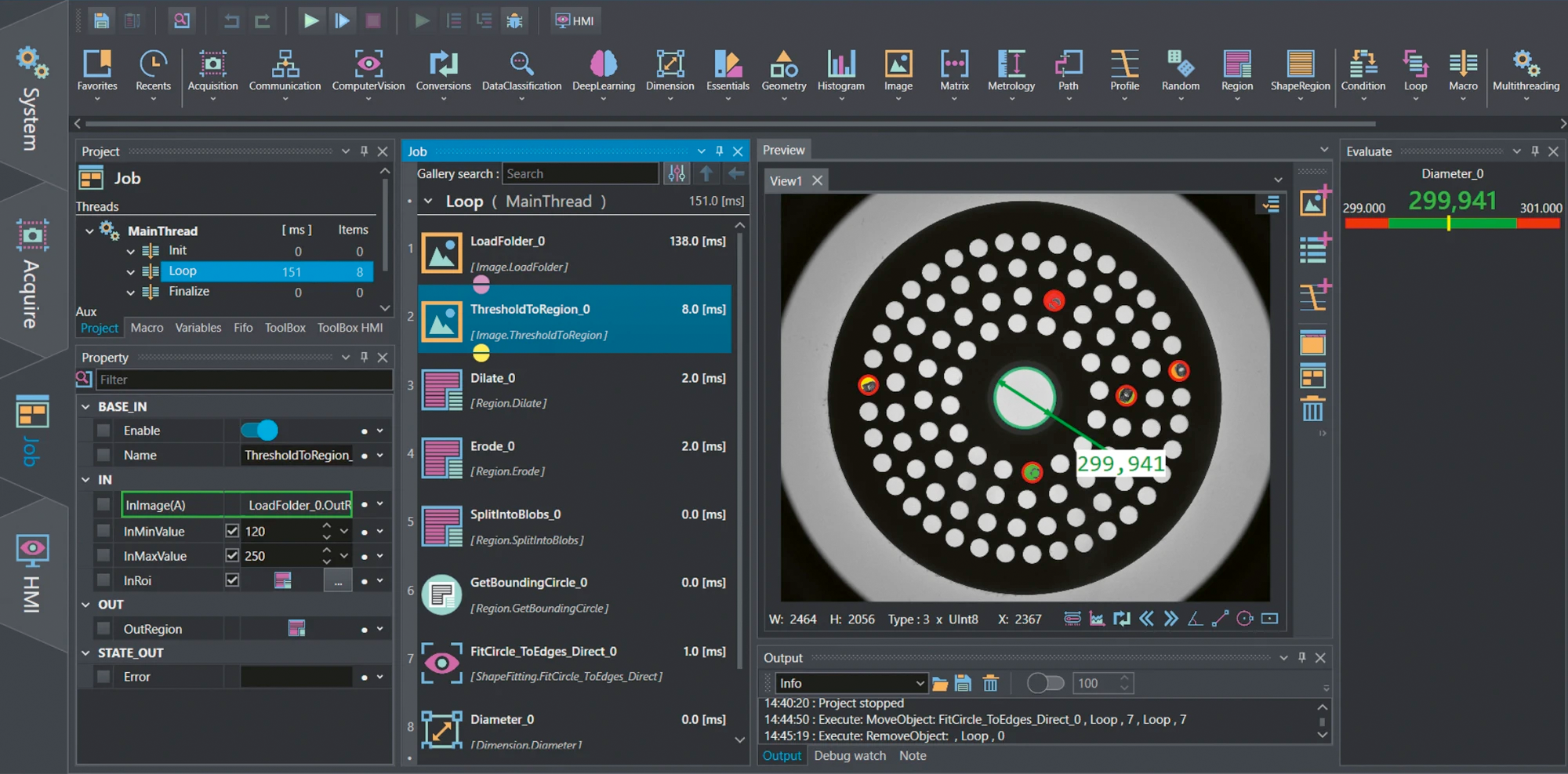
- Create your vision project using various tools.
- Design from scratch a beautiful front end.
- All the windows can be conveniently moved according to the user preferences.
Click on the HMI button to activate several controls to design your application front end interface.

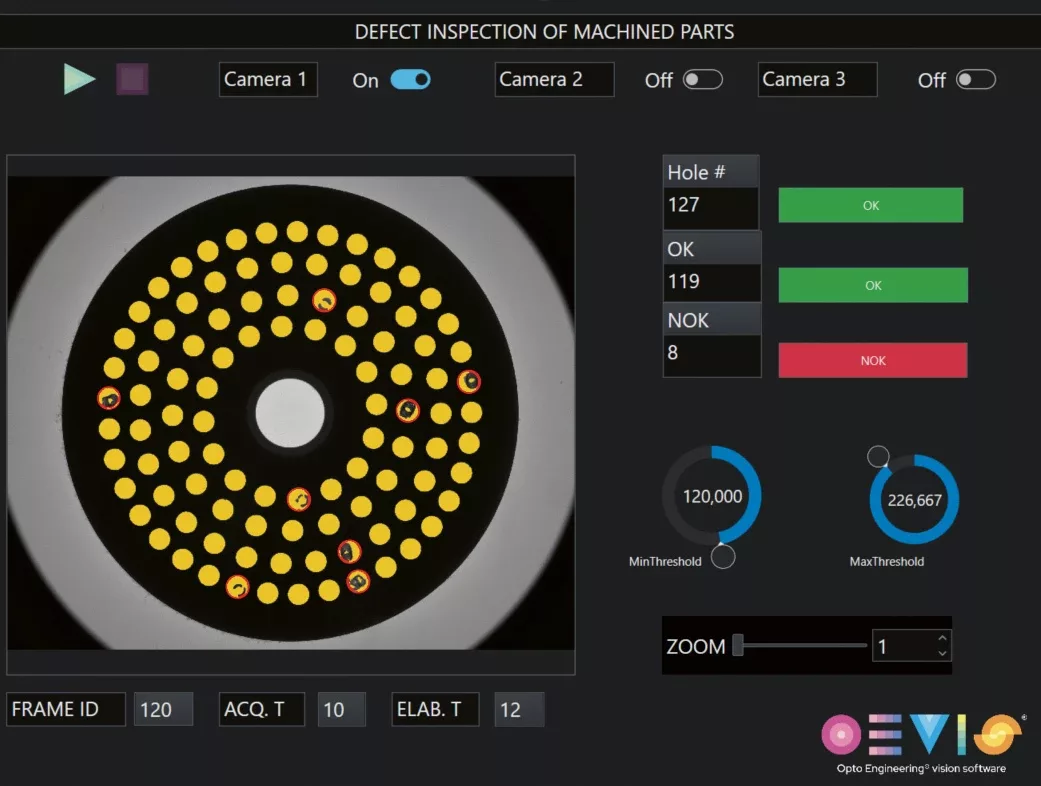
HMI Execution
Results of the processing are displayed to the end user in modern and intuitive front ends.
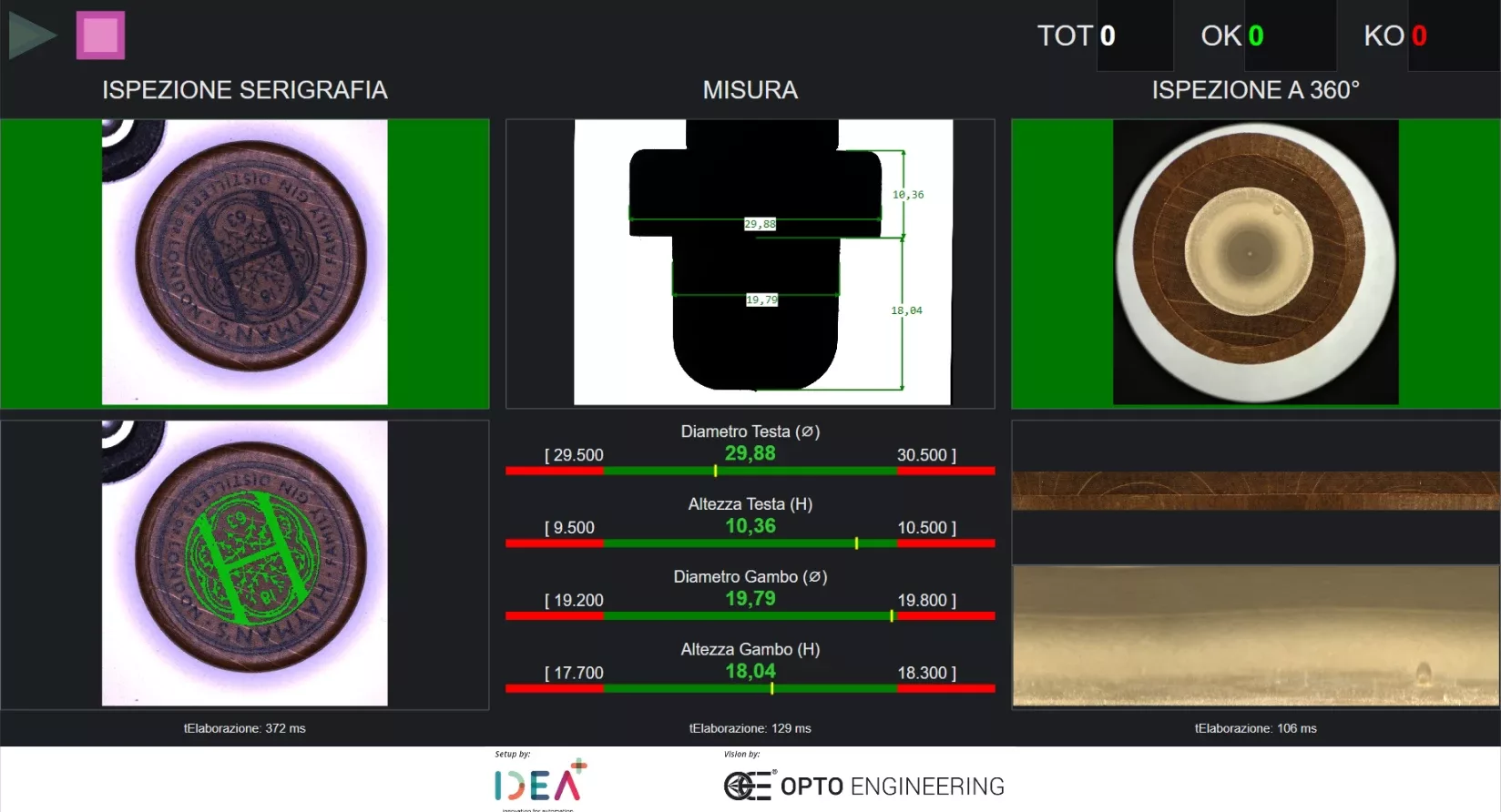
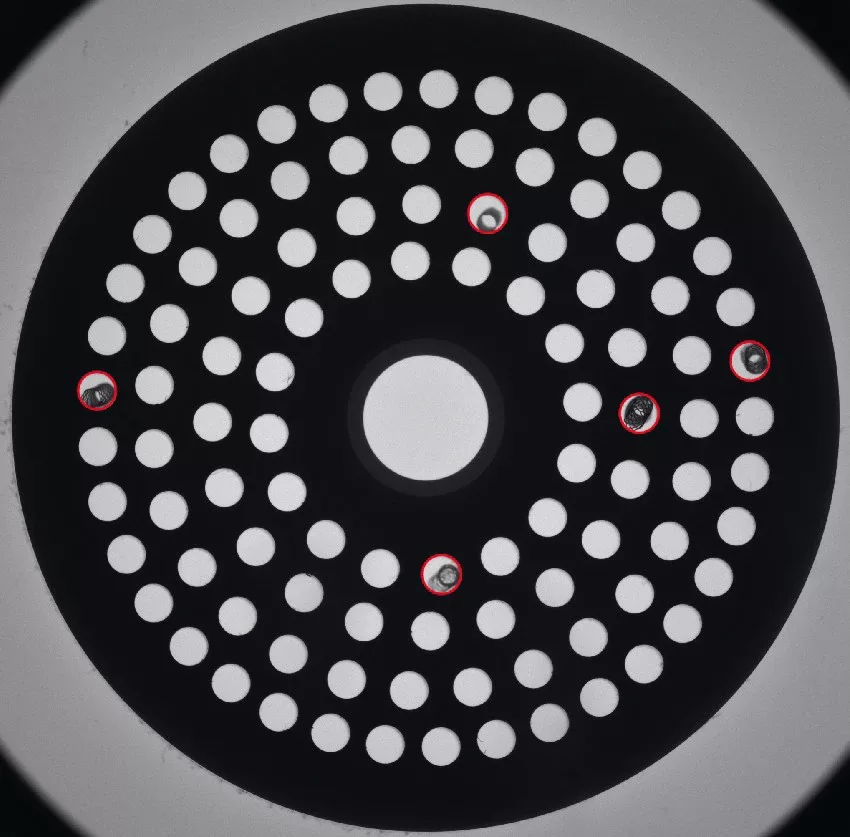
Image processing, segmentation and defect detection

OEVIS® features many algorithms for surface and completeness inspection, including blob analysis, erosion, dilation, opening and closing, segmentation tools, standard, relative, dynamic, color thresholding, image unwrapping and many more.
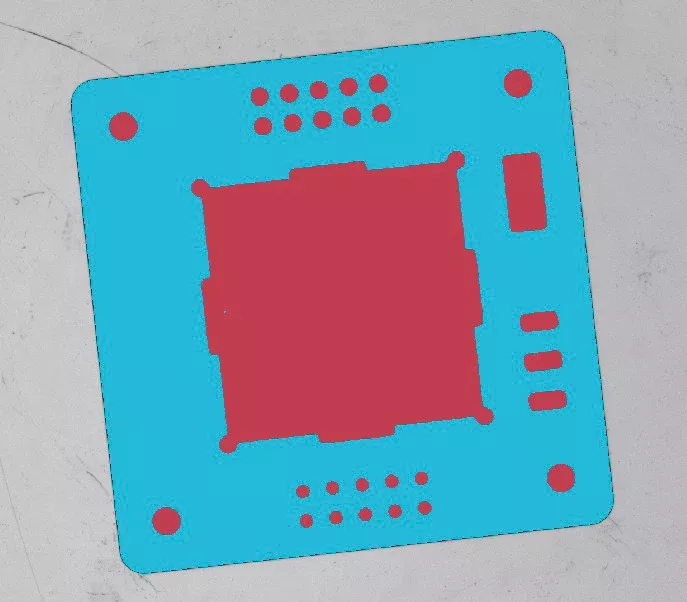
Template matching

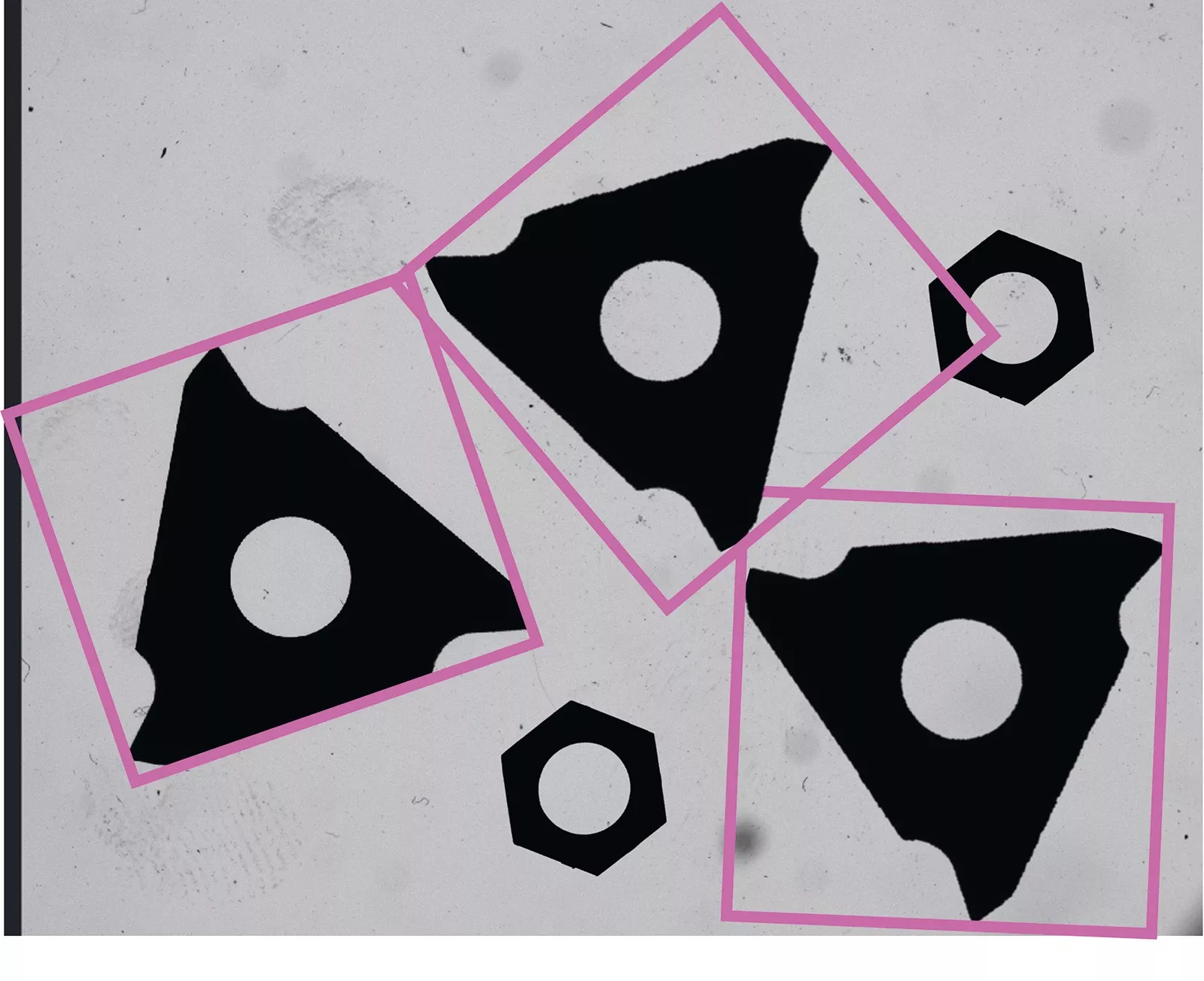
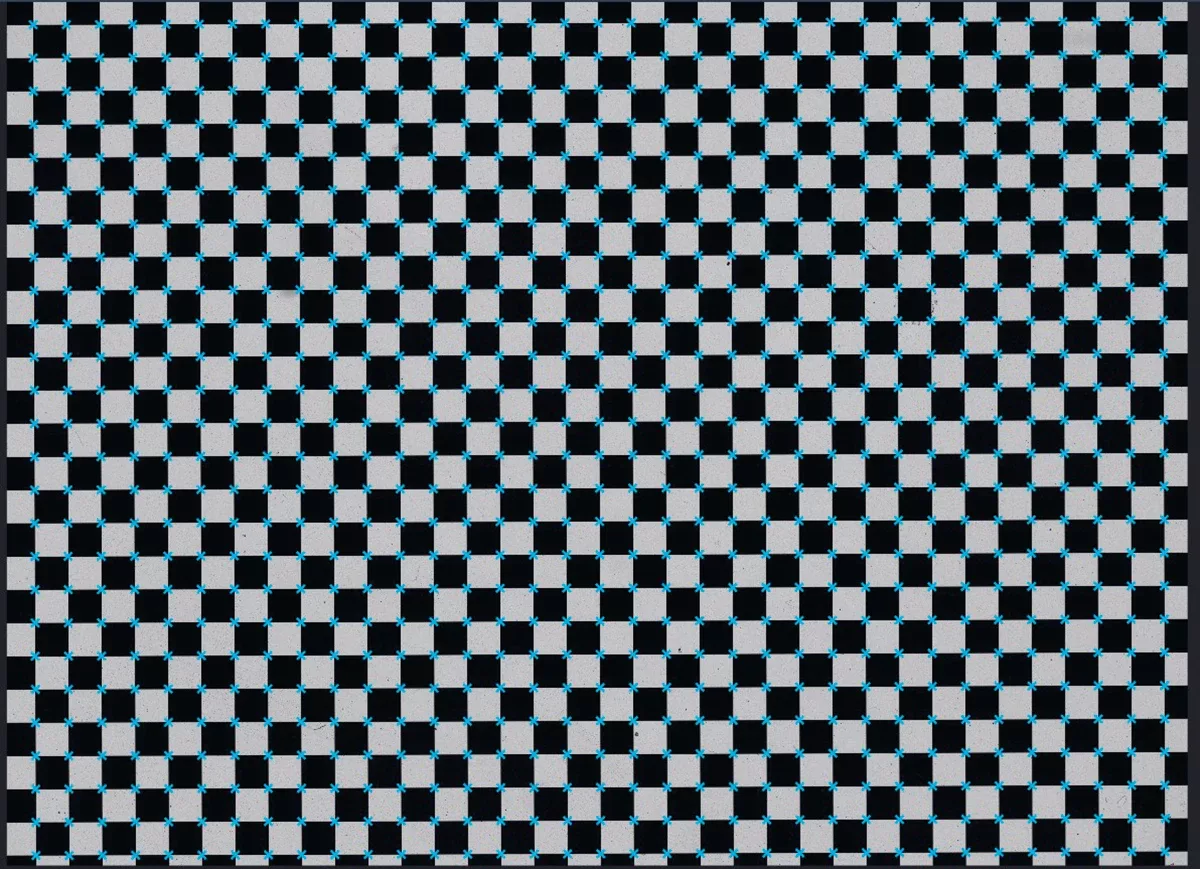
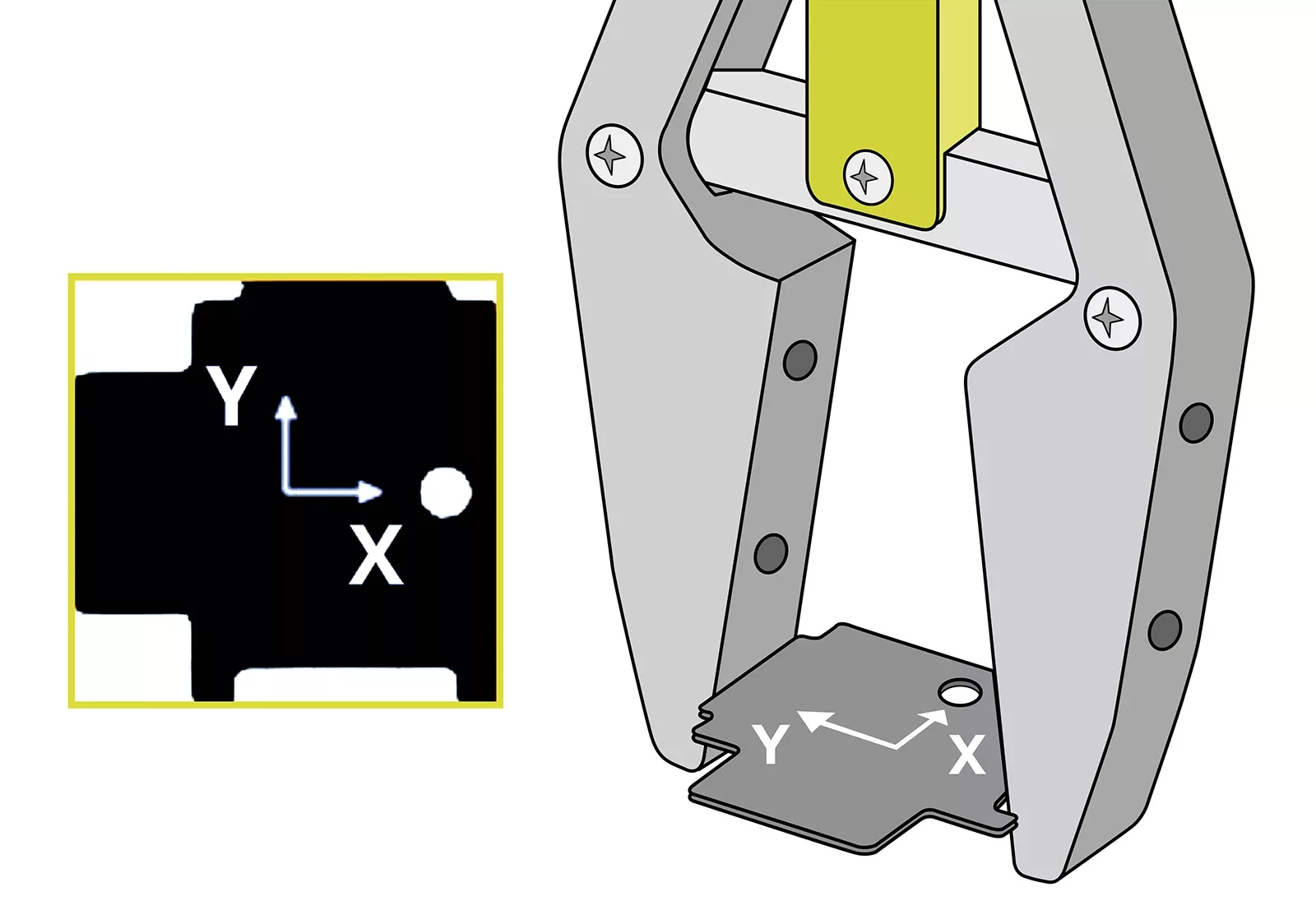
Calibration, correction of distortion, robot guidance

OEVIS® high-performance algorithms for distortion correction meet the requirements of telecentric optics, eliminating perspective distortion. Furthermore, OEVIS® integrates precise hand-eye calibration algorithms for vision-guided robotic applications, such as pick- and-place.
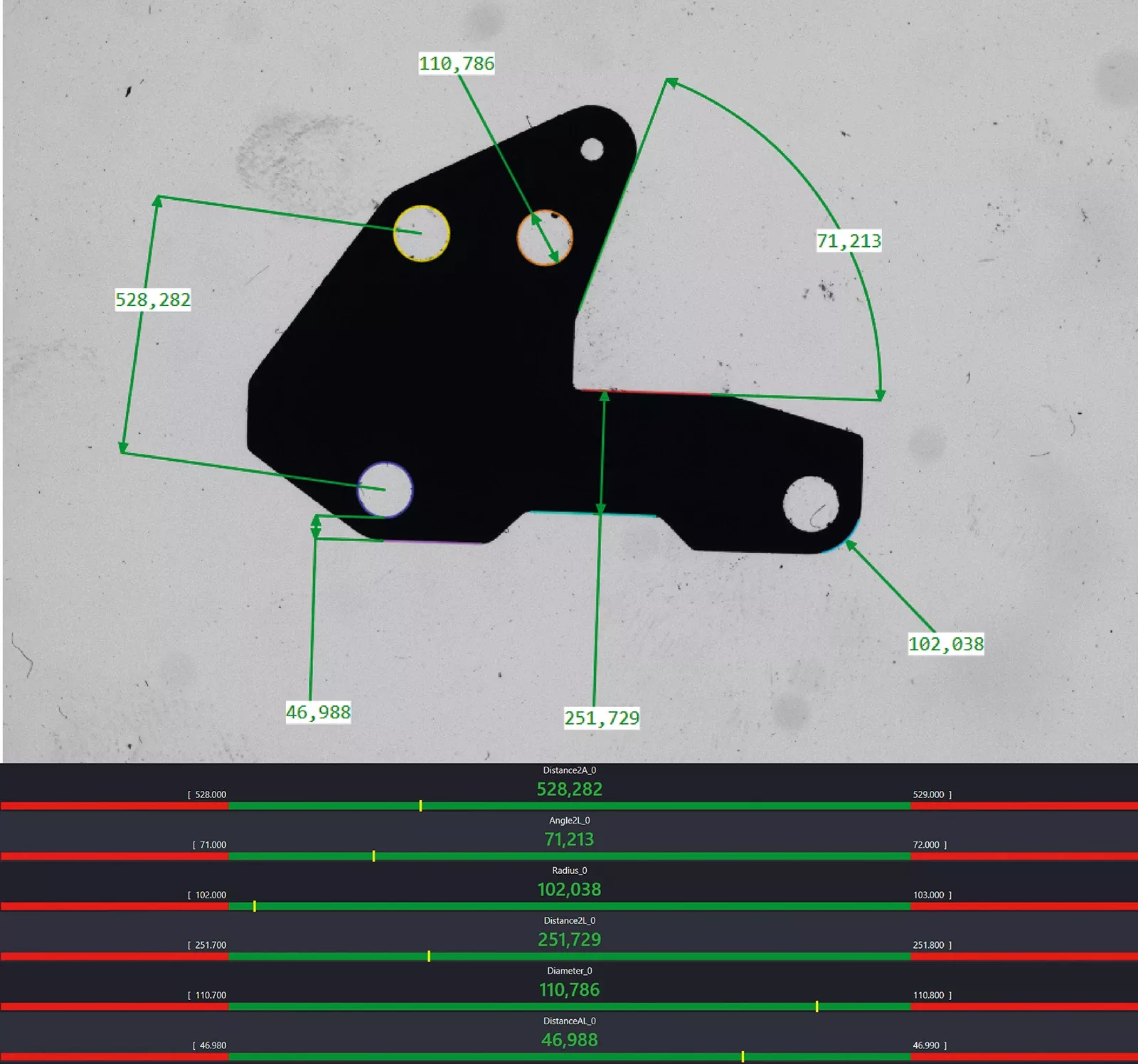
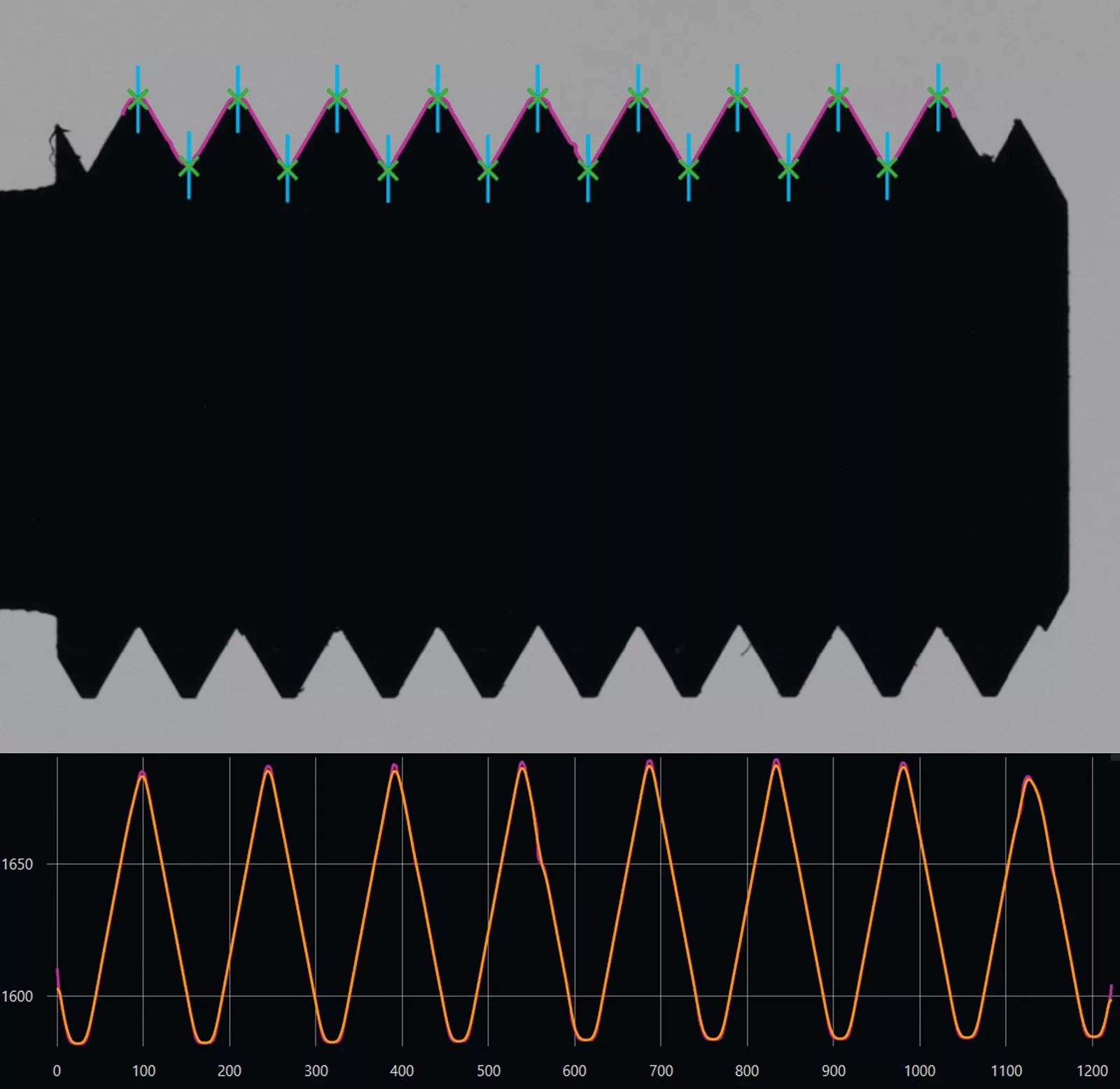
1D -2D edge detection and metrology

OEVIS® efficiently finds edges using many different algorithms and countour analysis techniques. OEVIS® state-of-the art algorithms measure with subpixel accuracy diameters, lengths, concentricity, radiuses, and angles of complex parts.
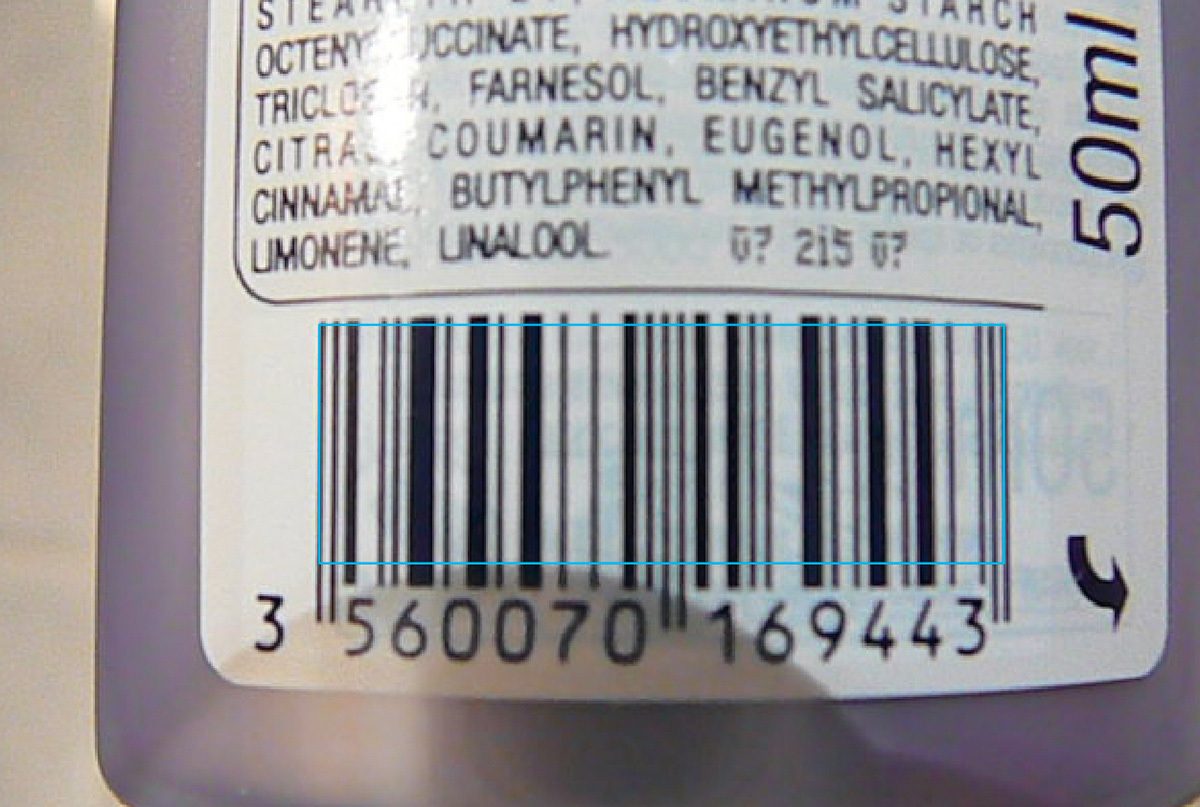
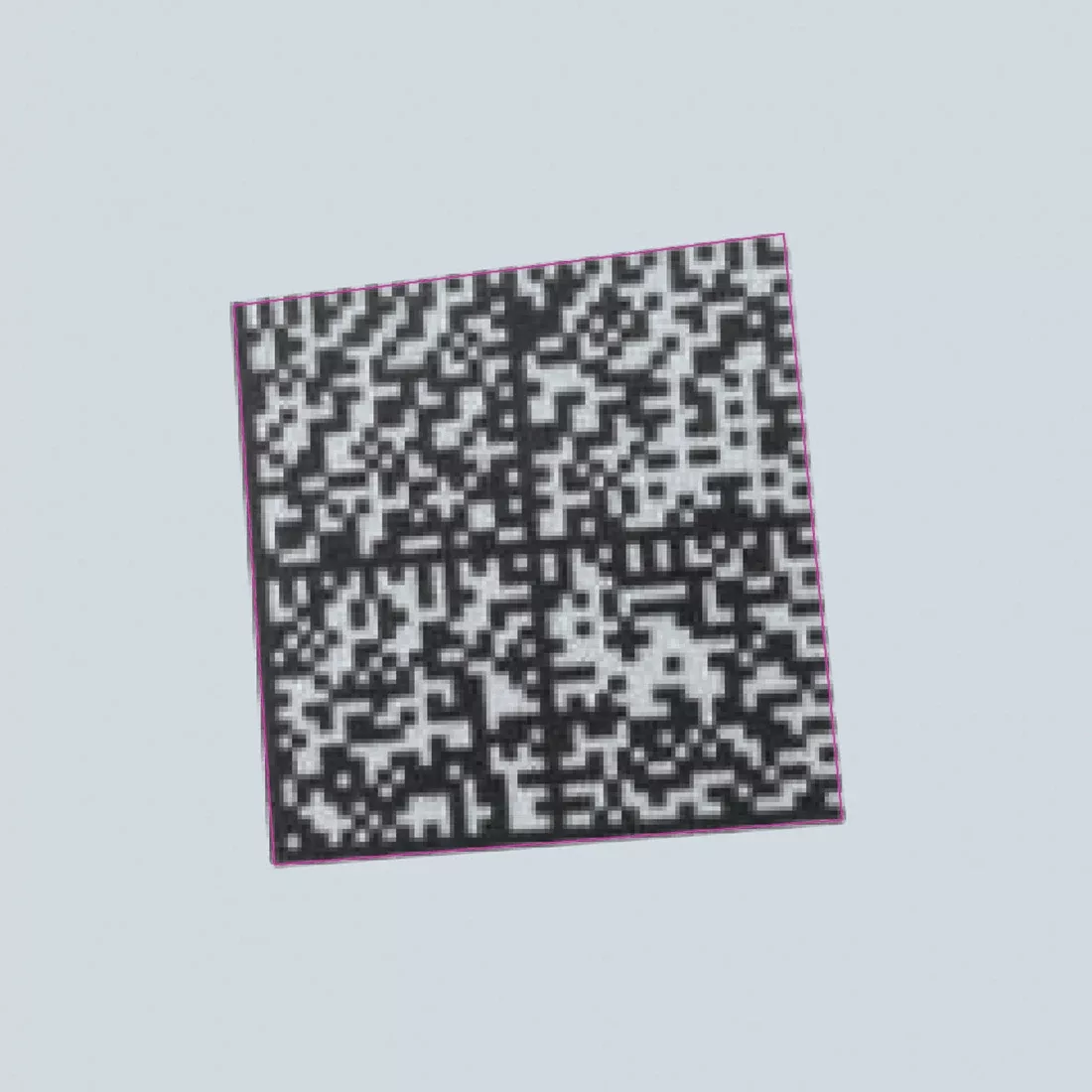
Barcode, QR-code and 2D datacode reading

OEVIS® advanced algorithms ensure high-speed and accurate reading of all common barcodes and a wide range of Data codes, including Data Matrix ECC200, QR, PDF417, Aztec and many others.
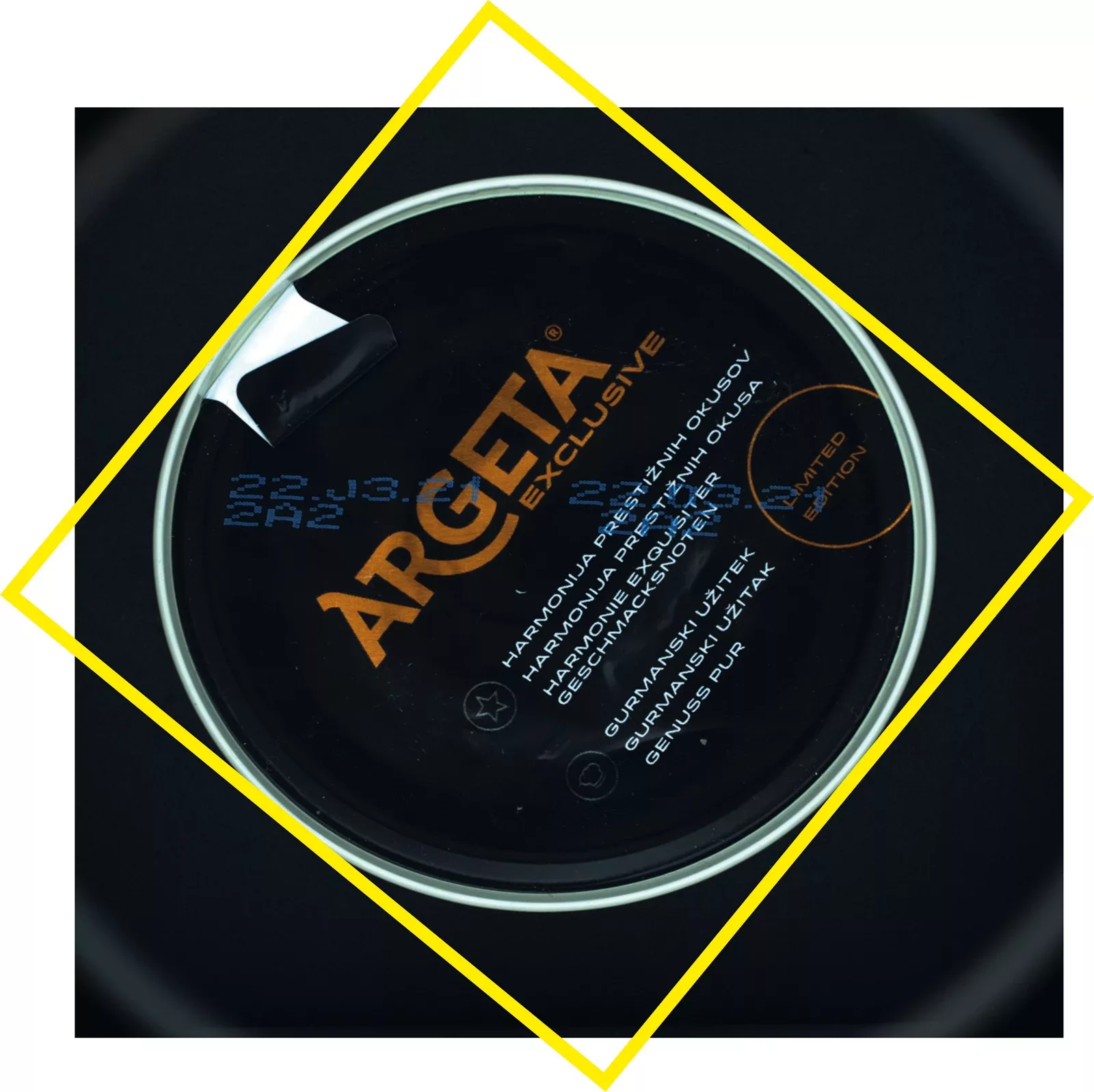
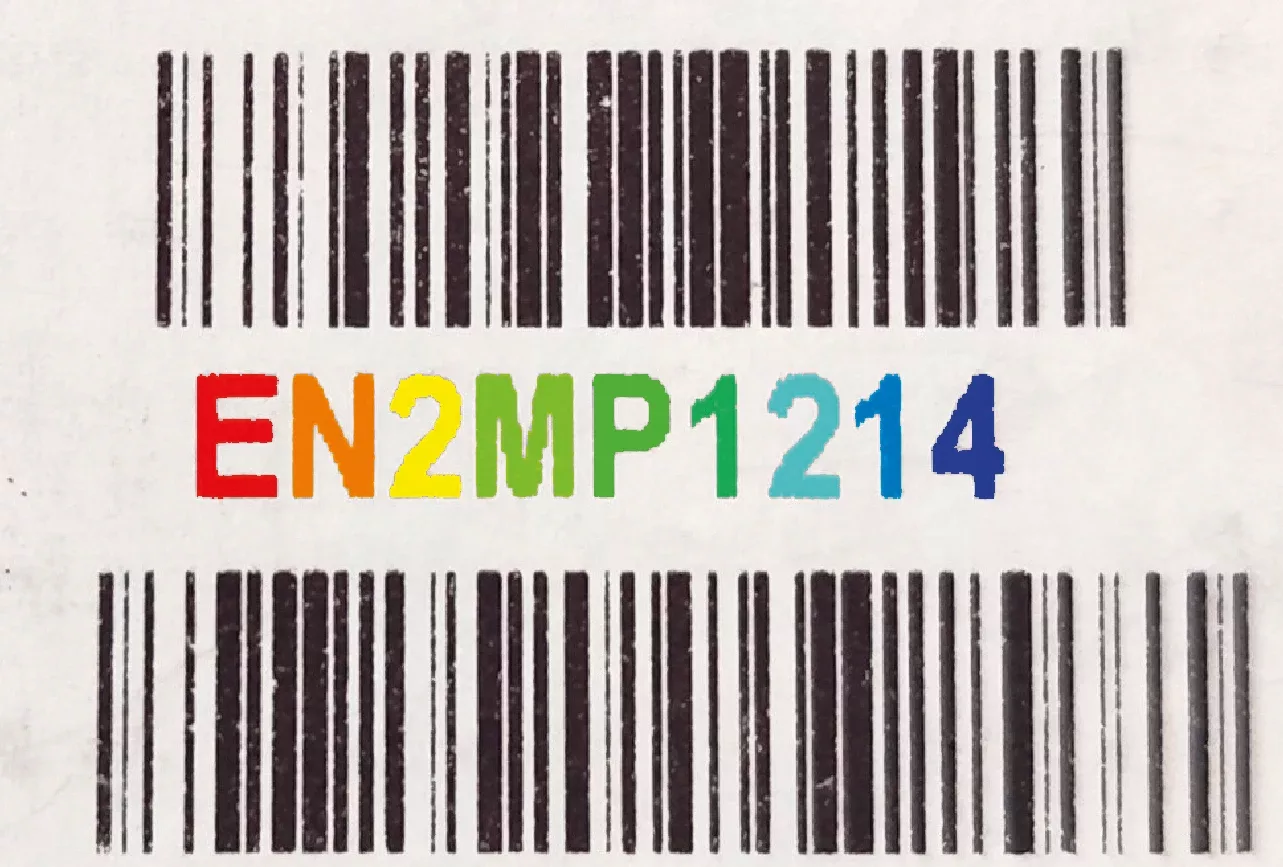
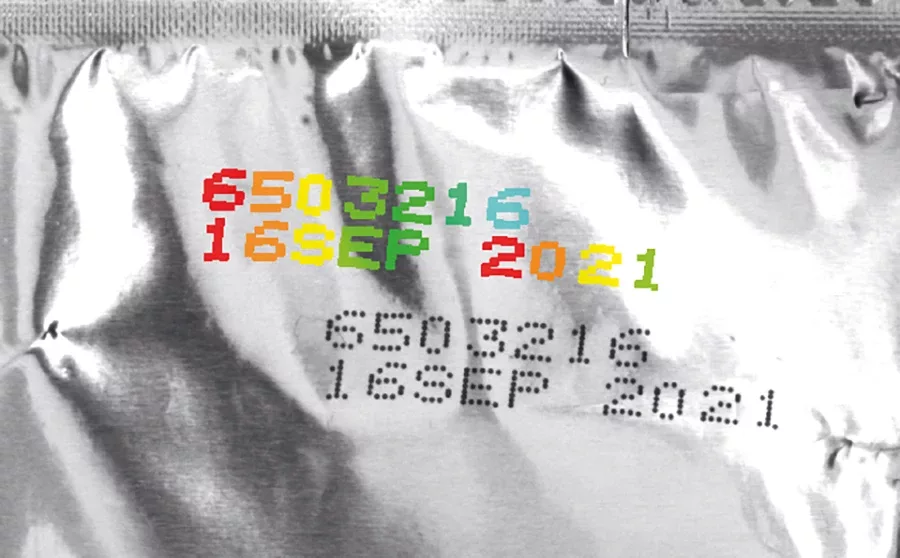
Optical character recognition (OCR)

OEVIS® combines traditional OCR algorithms with AI-powered text recognition, enabling reliable reading of printed, engraved, and challenging characters across a wide range of industrial applications.
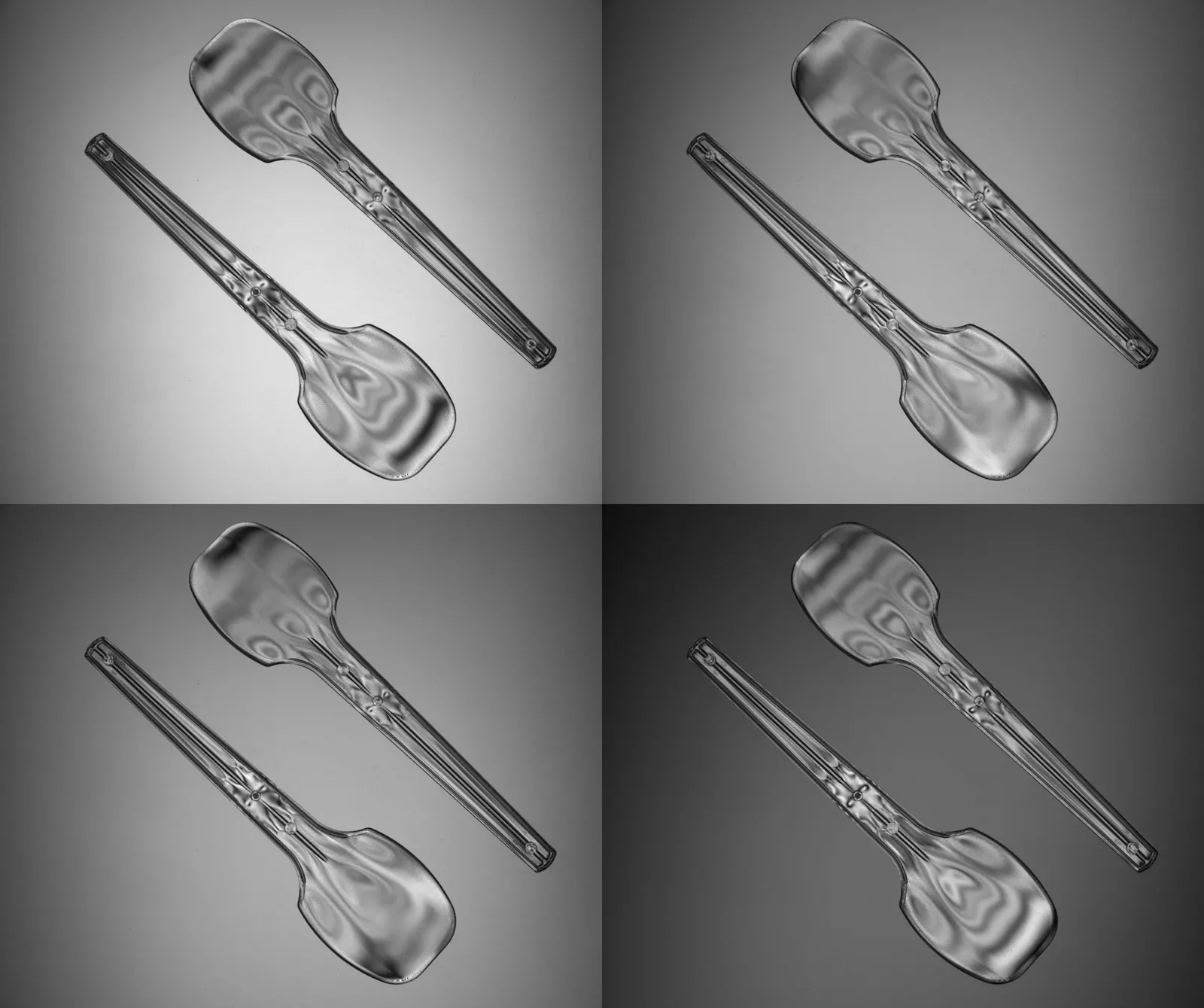
Polarization analysis

OEVIS® features many algorithms to analyze images acquired with polarized cameras, including AoLP/DoLP mapping, simulation of polarization states and so on.

Deep learning
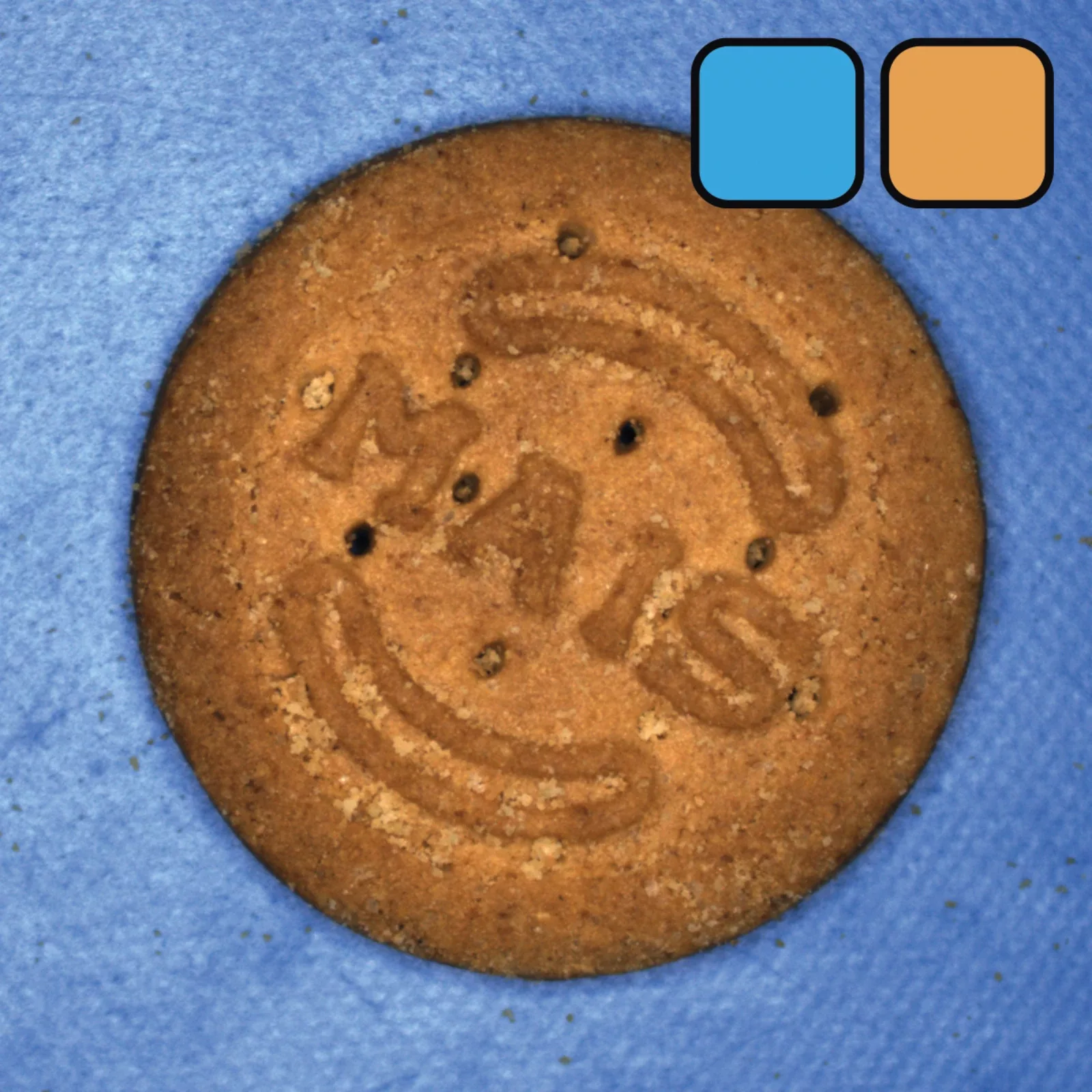
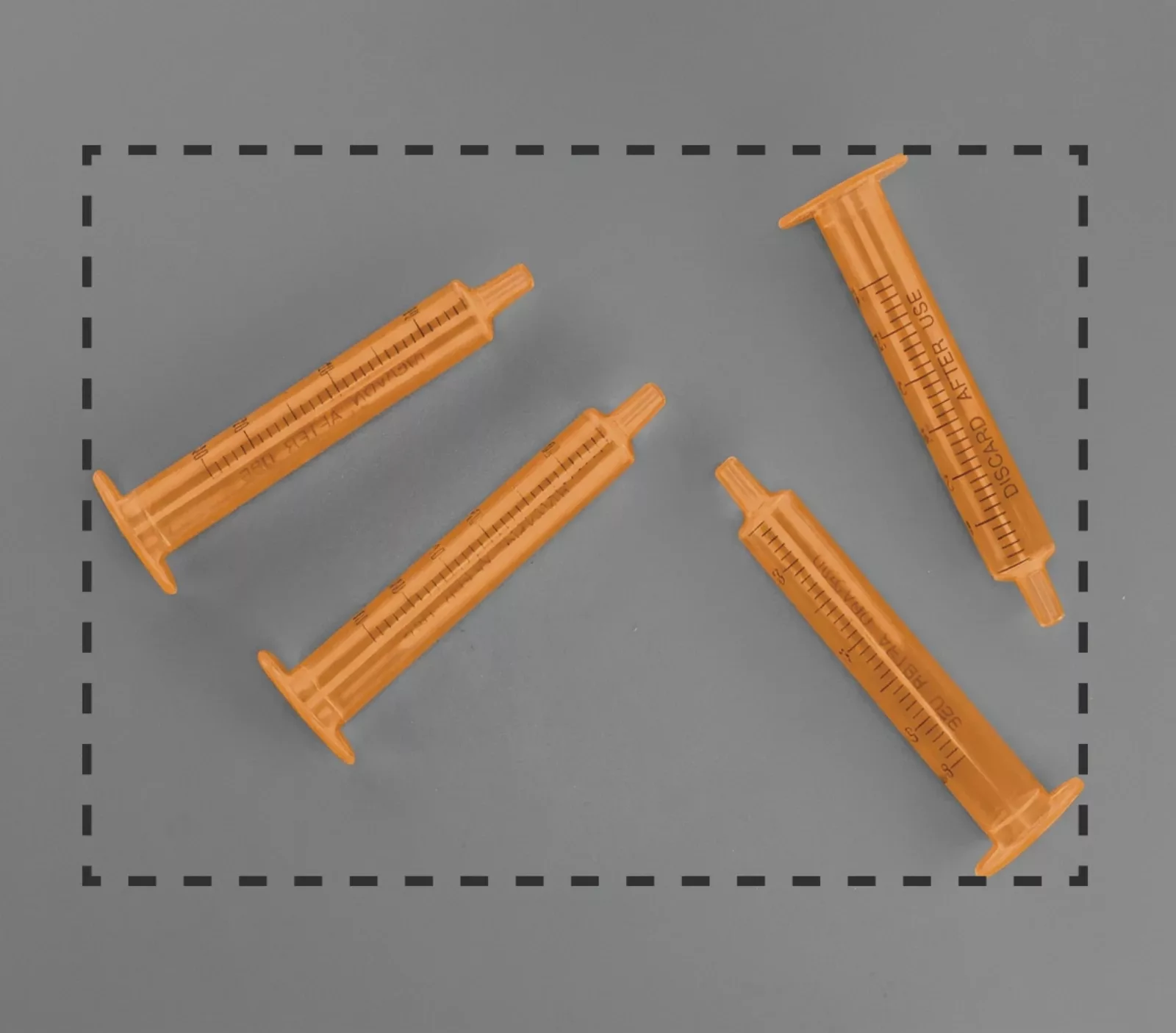
State-of-the-art Deep Learning tools for image classification and pixel-level segmentation. Train custom AI models from annotated examples and deploy them directly in OEVIS® for demanding inspection applications. -
ONNX model deployment
Import and deploy custom AI models trained with external frameworks such as PyTorch and TensorFlow. Extend OEVIS® with advanced capabilities beyond its native Deep Learning tools.
Data classification & machine learning
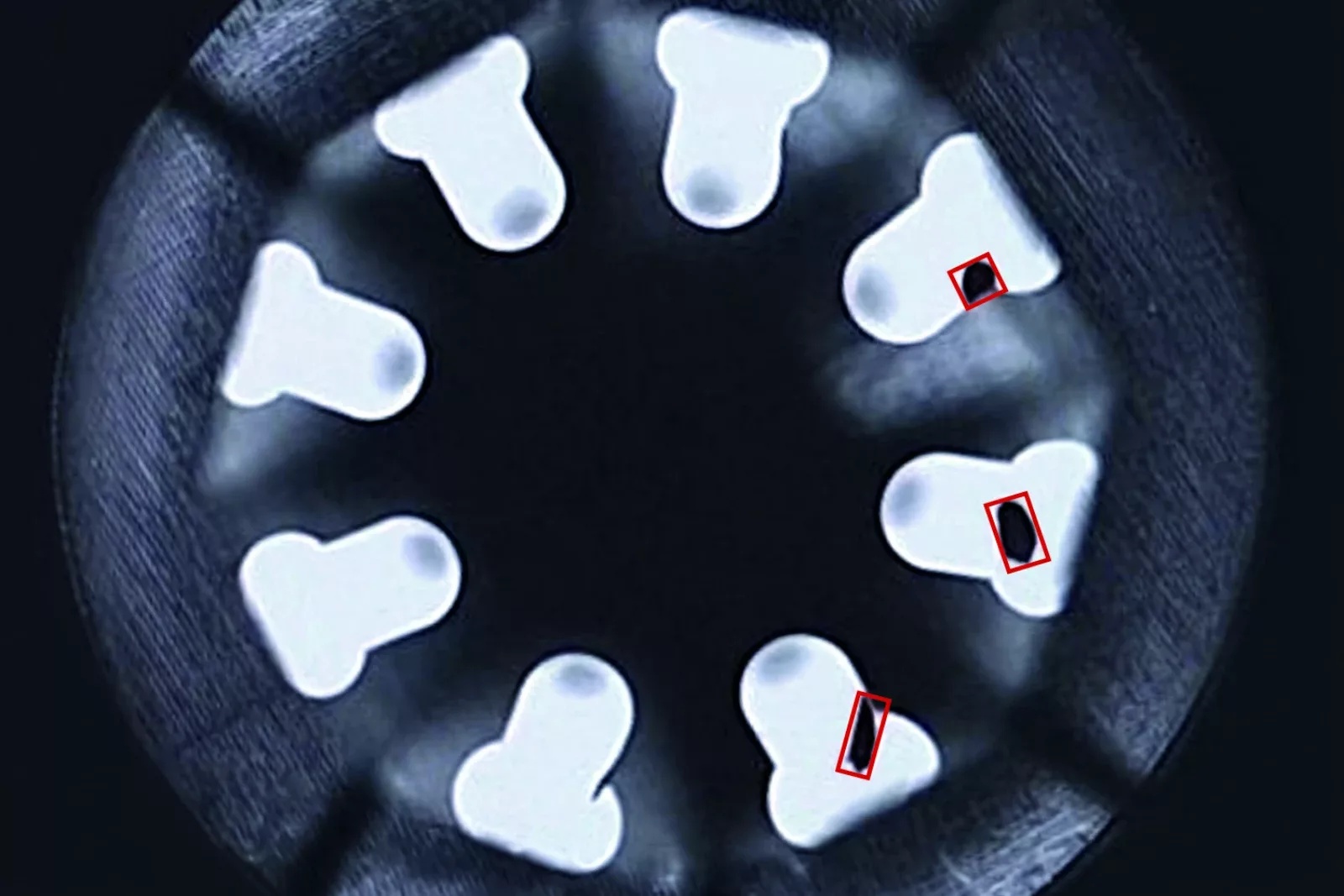
OEVIS® features machine learning models (MLP, SVM, KNN) and clustering functions (KMeans, DBSCAN) for complex image analysis tasks such as distinguishing between different textures or cluster objects with irregular shapes.
OEVIS® Deep Learning
AI-Powered Vision for Complex Inspection Challenges
Key features:
-
No-Code Deep Learning
Create AI-powered inspections without programming expertise. -
Advanced training Environment
Manage datasets, labeling, training, and evaluation from a single application -
Built-In Data Augmentation
Create and preview augmentation pipelines with live visual feedback. -
Seamless OEVIS® Integration
Run AI models as standard OEVIS® workflow blocks -
Performance Evaluation
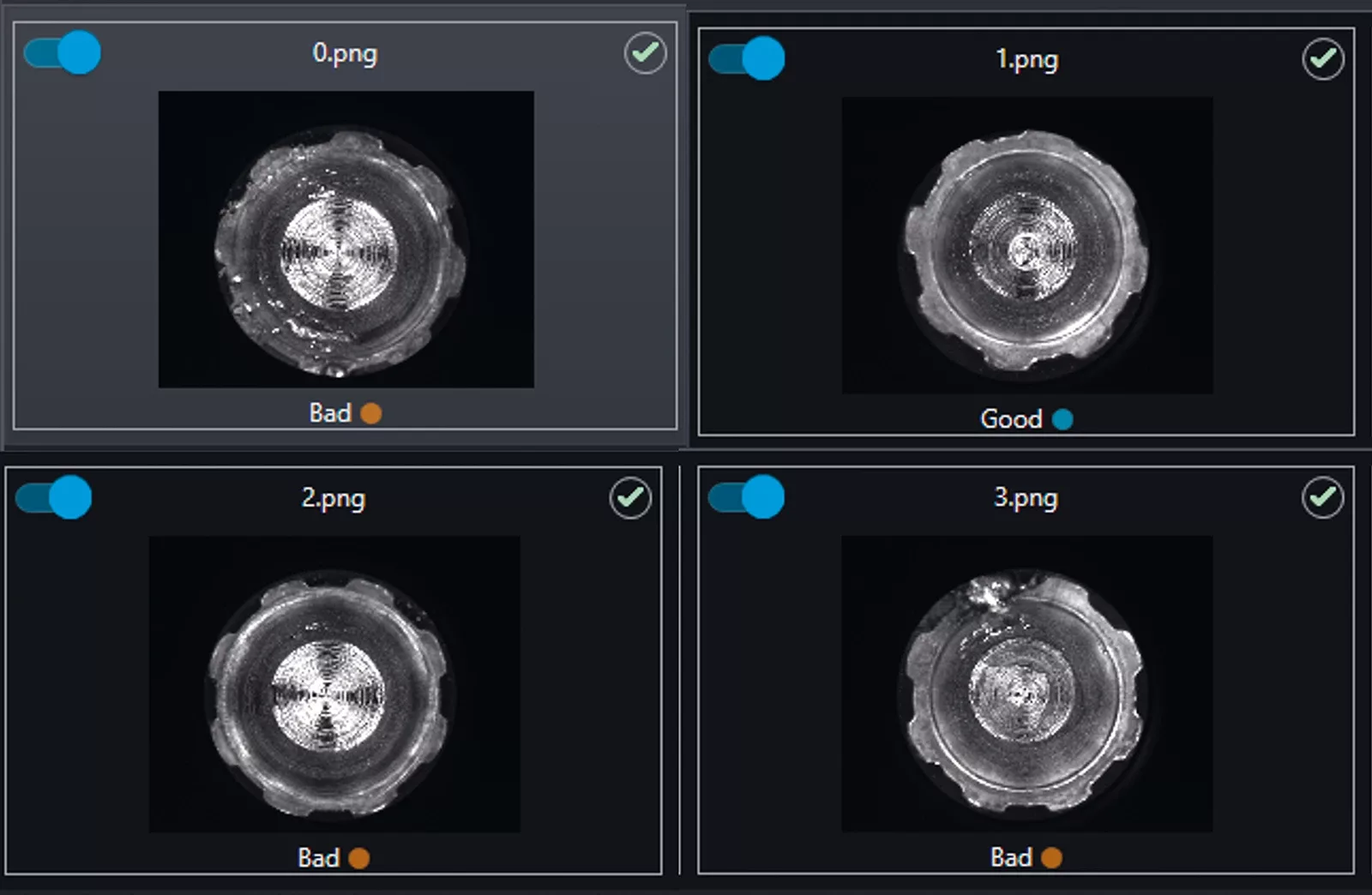
Validate model performance using confusion matrices and an image-by-image pass/fail report
Industrial AI Without Coding
Deep learning for Complex Inspections
Build, Train and Validate AI Models
Create datasets, train neural networks, and evaluate AI models through an intuitive no-code workflow. OEVIS® Deep Learning leverages state-of-the-art neural network architectures to solve inspection challenges that are difficult or impractical to address using traditional rule-based vision techniques.
Learn from Examples
While traditional computer vision relies on handcrafted rules and carefully tuned parameters, Deep Learning learns directly from annotated examples. By analyzing visual patterns within training images, neural networks can automatically recognize products, defects, objects, and complex visual conditions, delivering robust performance even in highly variable production environments.
Applications
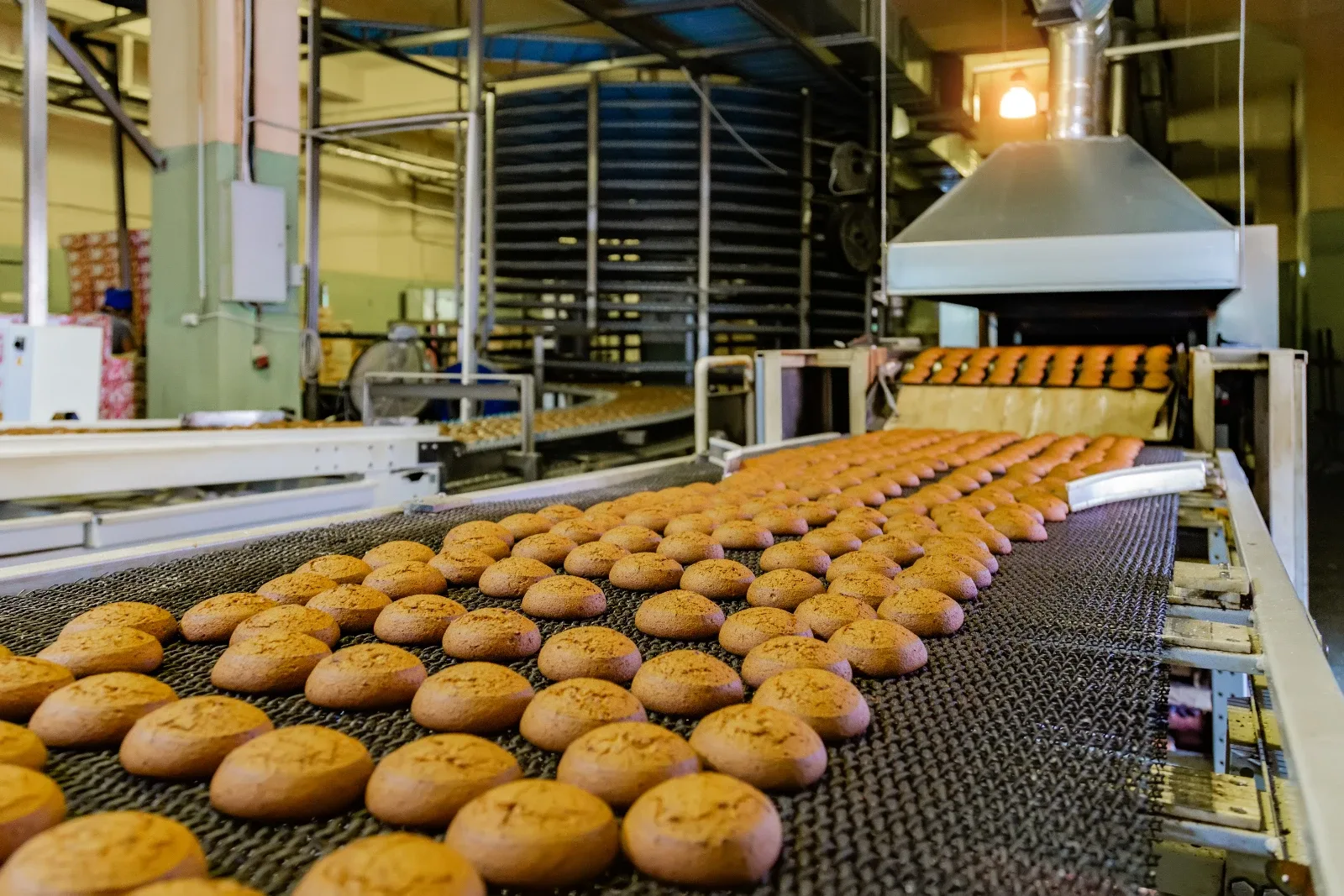
Typical applications include defect detection, assembly verification, surface inspection, classification, and pixel-level segmentation. Deep Learning is particularly effective in high-variability industries such as textiles, food processing, and metals, plastics, and rubber, where traditional rule-based approaches often struggle to cope with changing appearances and complex visual patterns.


AI + Rule-Based Vision

Build and Run Vision Applications
Develop, deploy and run complete machine vision applications with no-code workflows, vision tools, HMI design, and industrial connectivity. OEVIS® combines the best of Deep Learning and rule-based computer vision, bringing together adaptability, precision, and reliability in a single platform. The result is a powerful hybrid approach capable of handling variability while maintaining the accuracy and control required for industrial inspection.
From Dataset to Deployment
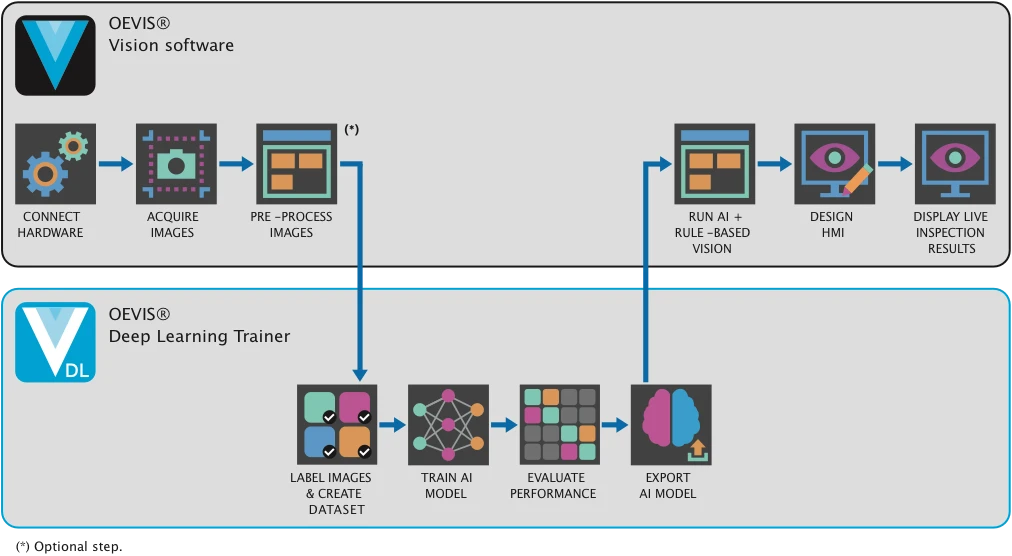
OEVIS® combines traditional machine vision and Artificial Intelligence in a unified environment. Native AI capabilities are available directly within OEVIS®, while OEVIS® Deep Learning Trainer enables users to create, train and validate custom neural network models without programming.
1. Native AI Features in OEVIS®
Many AI capabilities are already available natively inside OEVIS® and do not require OEVIS® Deep Learning Trainer.
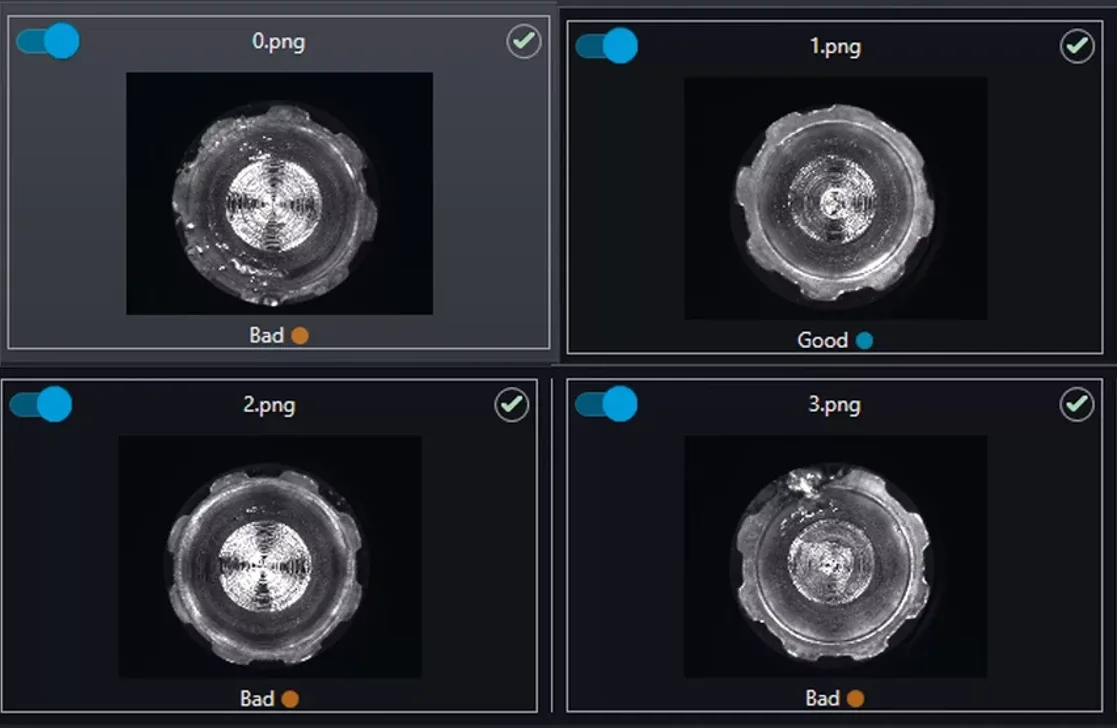
Deploy and Run Deep Learning Models directly in OEVIS®
Run models trained with OEVIS® Deep Learning Trainer directly within OEVIS® and combine AI inference with traditional vision tools.
ONNX Model Integration
Import and deploy neural networks trained with third-party frameworks such as PyTorch or TensorFlow through native ONNX support.
AI-Powered OCR
Advanced OCR capabilities powered by leading recognition engines for text reading and code verification applications.

Machine Learning Tools
Built-in classification algorithms including K-Means, Decision Trees, MLP, SVM, KNN and clustering methods for industrial inspection tasks.
2. OEVIS® Deep Learning Trainer
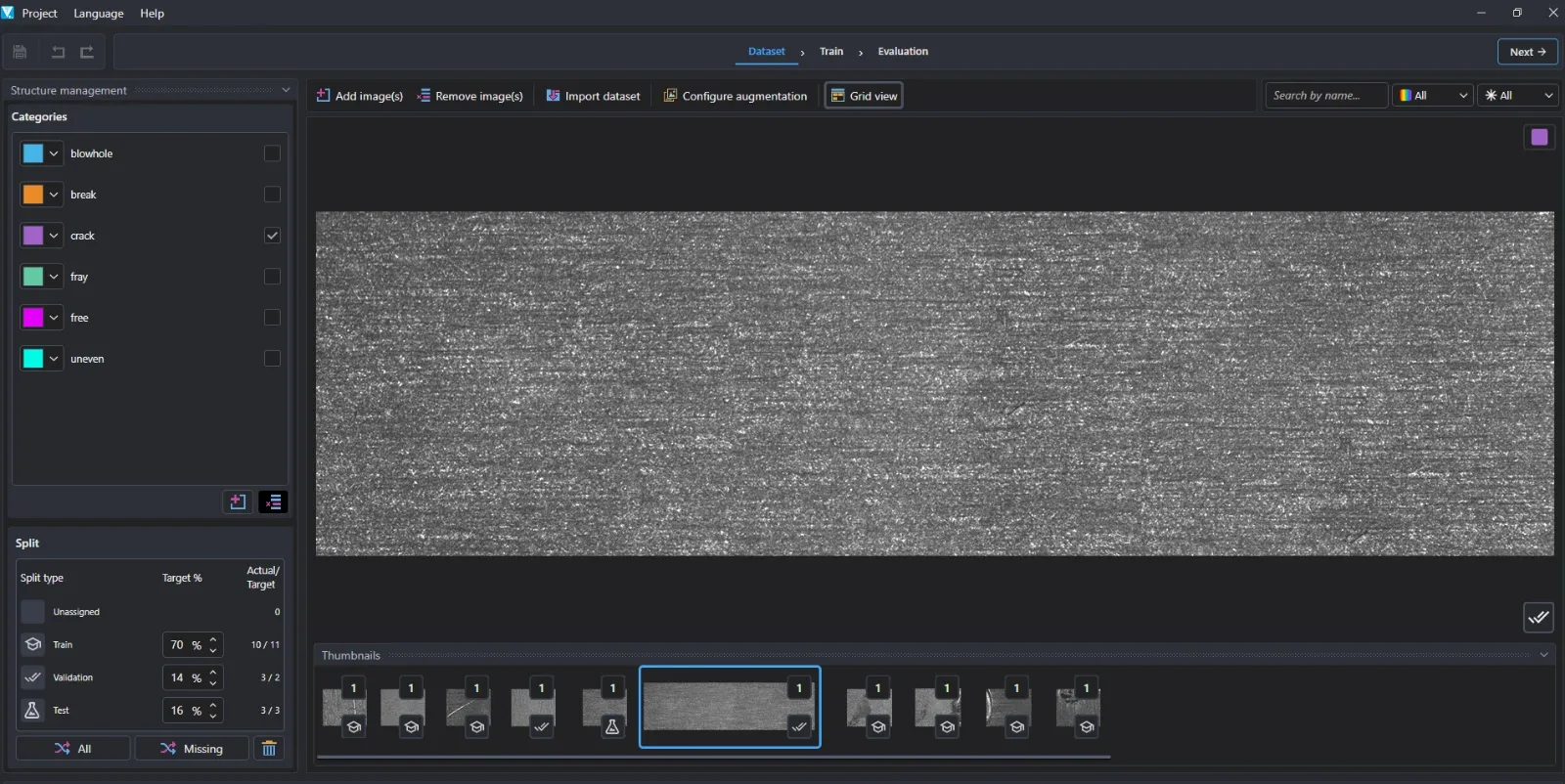
OEVIS® Deep Learning Trainer is a dedicated no-code environment for creating, training and validating deep learning models. The guided workflow simplifies image annotation, dataset preparation, model training and performance evaluation, allowing users to develop industrial AI applications without data science expertise.
Key characteristics

Data Preparation & Annotation
Import, organize, and manage training datasets, including support for COCO-compatible formats. Create accurate annotations for classification, object detection, and segmentation applications.

Deep Learning Training
Train neural networks through an intuitive no-code workflow, leveraging CPUs or NVIDIA CUDA-enabled GPUs for faster processing.

Model Validation & Optimization
Evaluate model performance with visual reports and confusion matrices while improving robustness through built-in data augmentation.
How it Works
Train and validate models in the OEVIS® Deep Learning Trainer, then deploy them directly inside OEVIS® and combine AI inference with advanced rule-based vision tools.
Main functionalities
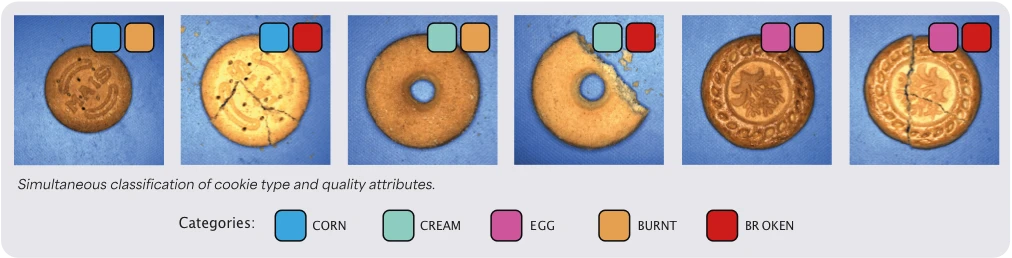
Multi-label classification - supervised

Multi-Attribute Image Classification
Assigns one or more labels to an entire image, enabling a neural network to identify multiple independent characteristics simultaneously. Unlike traditional single-class classification, a single model can recognize product type, variant, orientation, assembly status, surface condition, or the presence of printed marks and defects in a single inference. By learning directly from labeled examples, the system eliminates the need for manually engineered inspection rules and delivers robust performance across changing production conditions.
Typical applications
- Product identification
- Variant recognition
- OK / NOK sorting
- Packaging verification
- Defect categorization
- Assembly verification
- Presence of labels or printed marks
- Orientation verification
- Multi-attribute product inspection
Outputs
- Predicted labels/classes
- Confidence score for each label
- Category information
- Multi-attribute inspection results
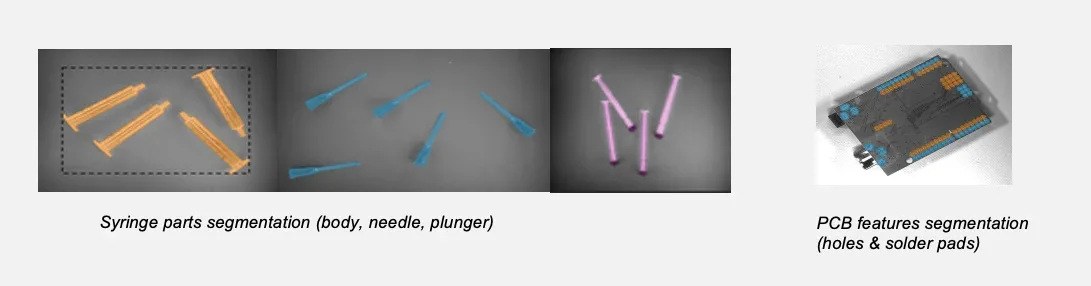
Semantic segmentation - supervised

Pixel-Level Defect Detection and Object Localization
Classifies every pixel in an image into one of the trained categories, generating a detailed segmentation map that identifies the exact position, shape, and extent of objects, materials, and defects. This enables accurate localization and inspection of features that are difficult or impossible to describe using traditional rule-based vision techniques. Models are trained using manually annotated segmentation masks created directly within the OEVIS® Deep Learning Trainer application.
Typical applications
- Surface inspection
- Scratch detection
- Contamination detection
- Material separation
- Region extraction
- Component localization
- Foreign object detection
Outputs
- Predicted labels/classes
- Confidence score for each label
- Category information
- Multi-attribute inspection results
Deep Learning workflow
1. Dataset Preparation
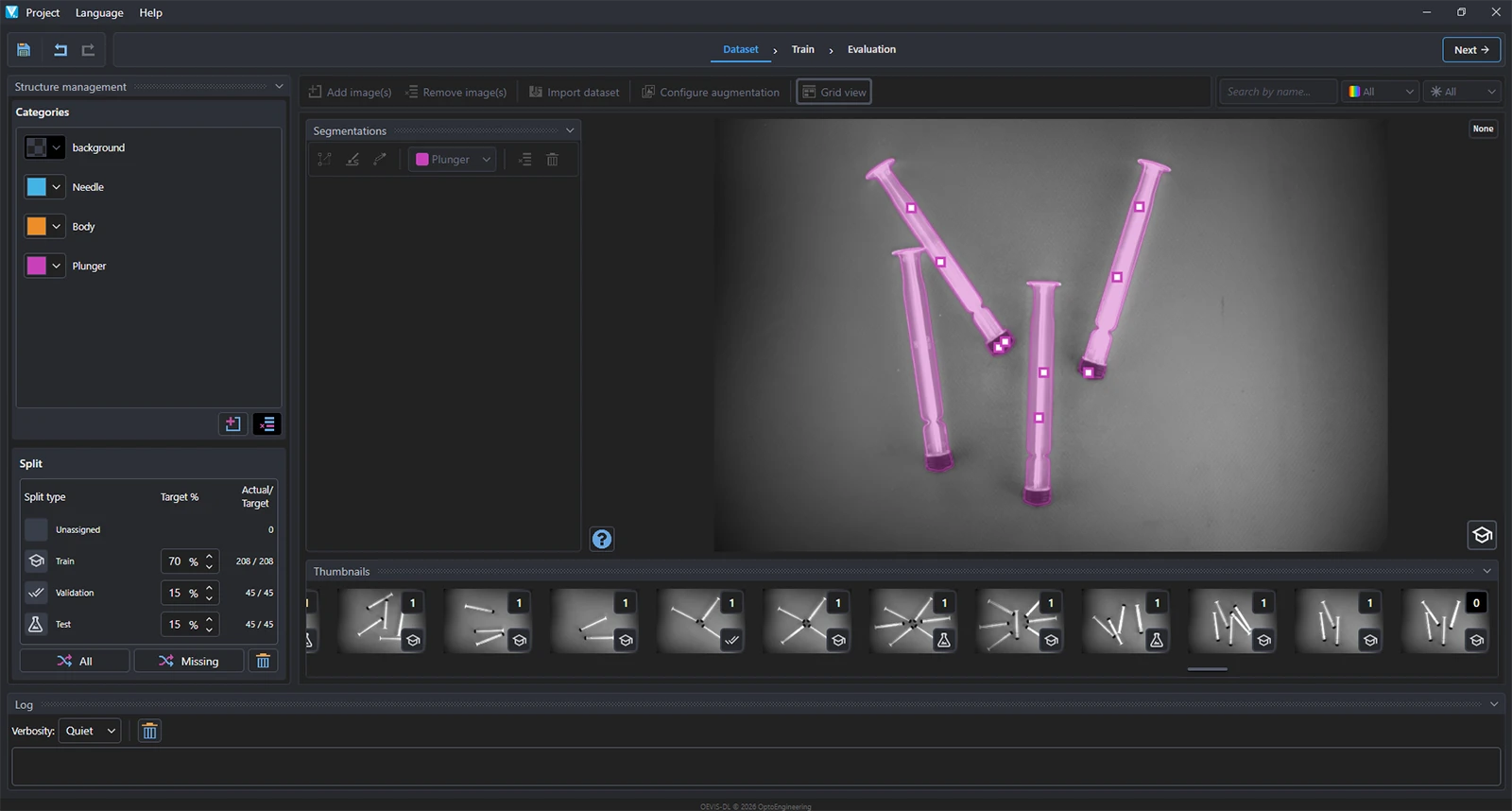
Create, annotate, and organize datasets through an intuitive graphical interface designed for industrial AI applications.
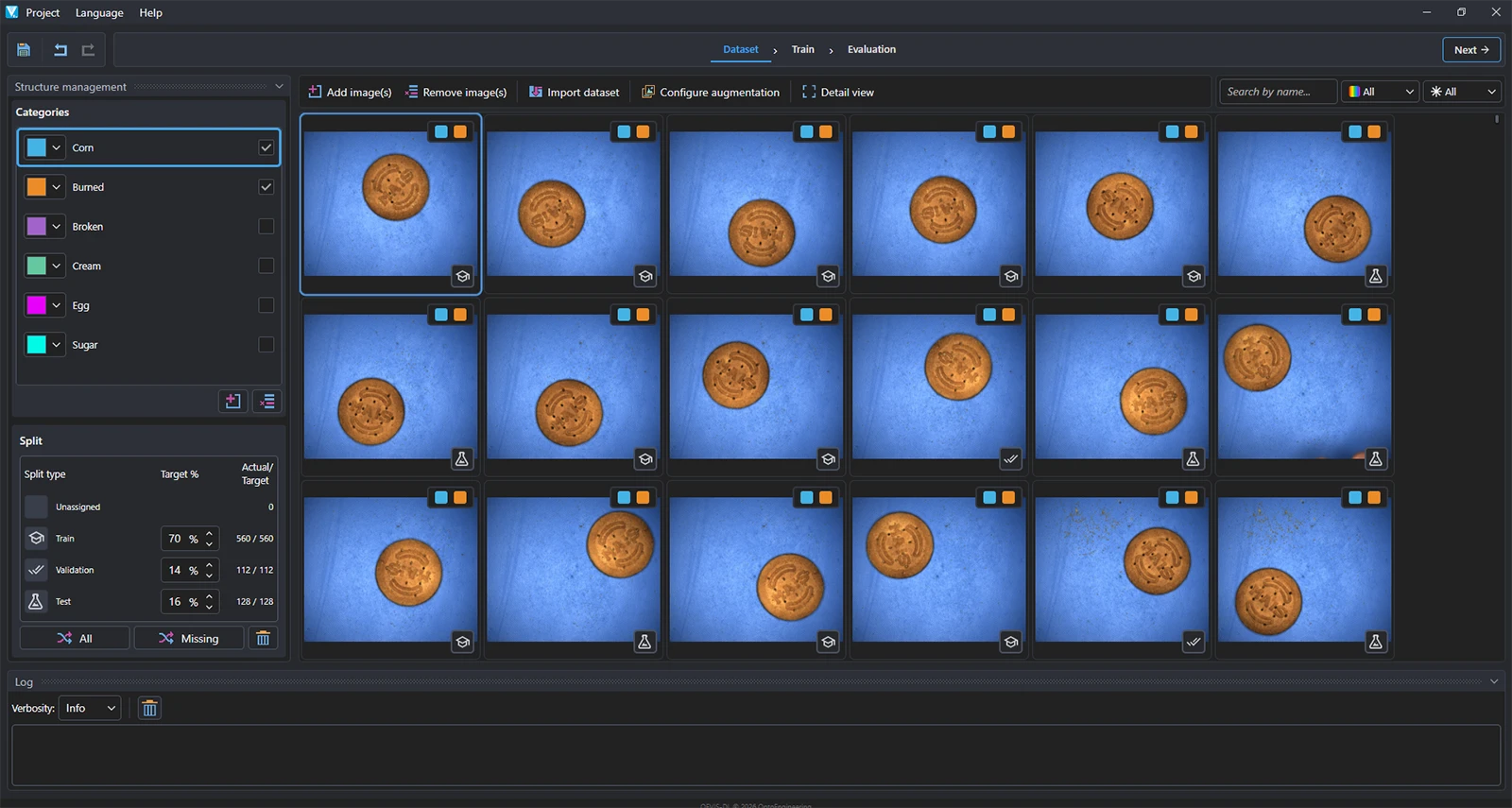
Import and Label Images
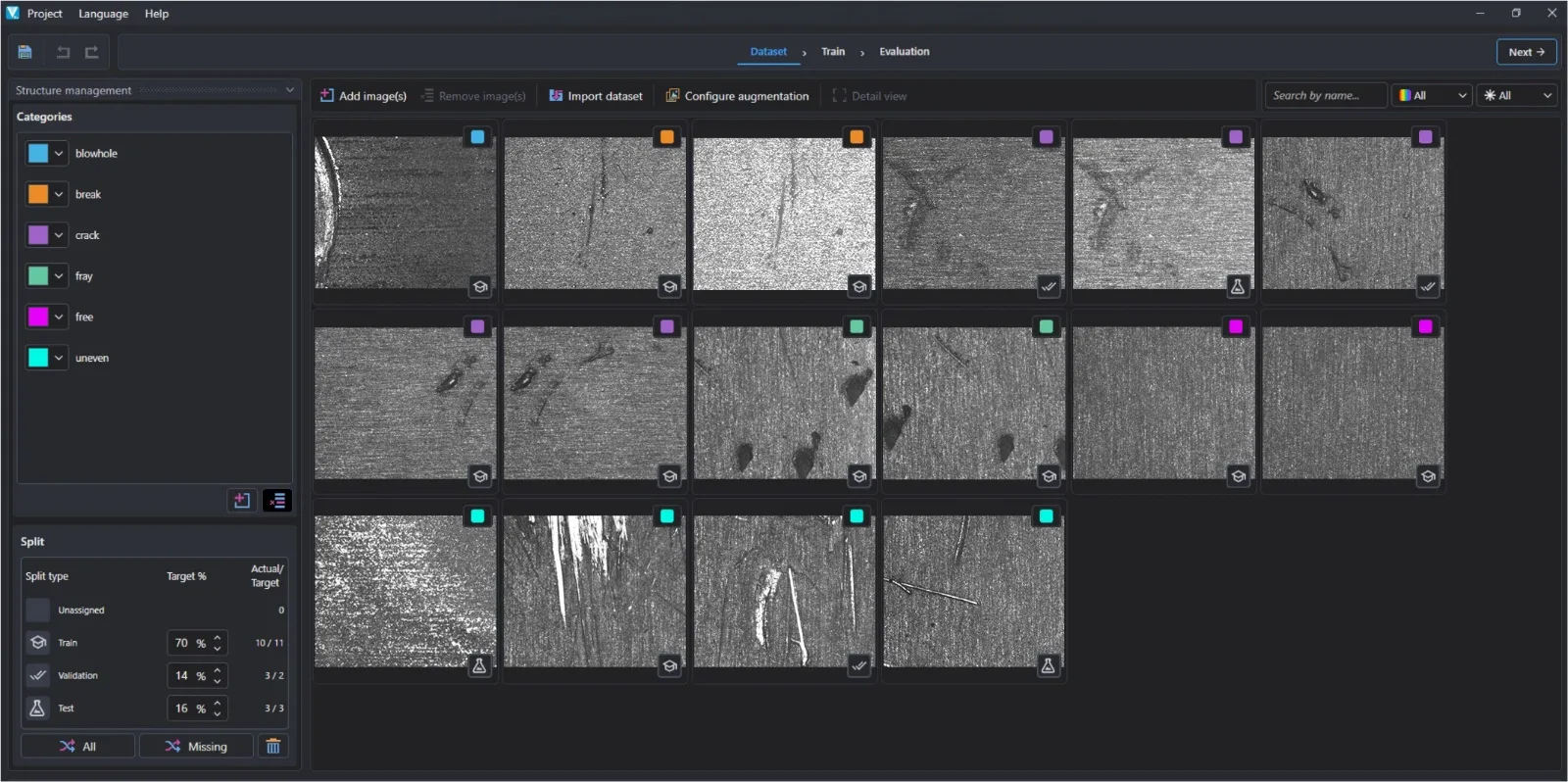
OEVIS® Deep Learning Trainer simplifies image annotation and dataset preparation through an intuitive visual interface. Users can easily import datasets, search and filter images and create accurate annotations for various tasks, accelerating the development of industrial AI models.
Data Augmentation
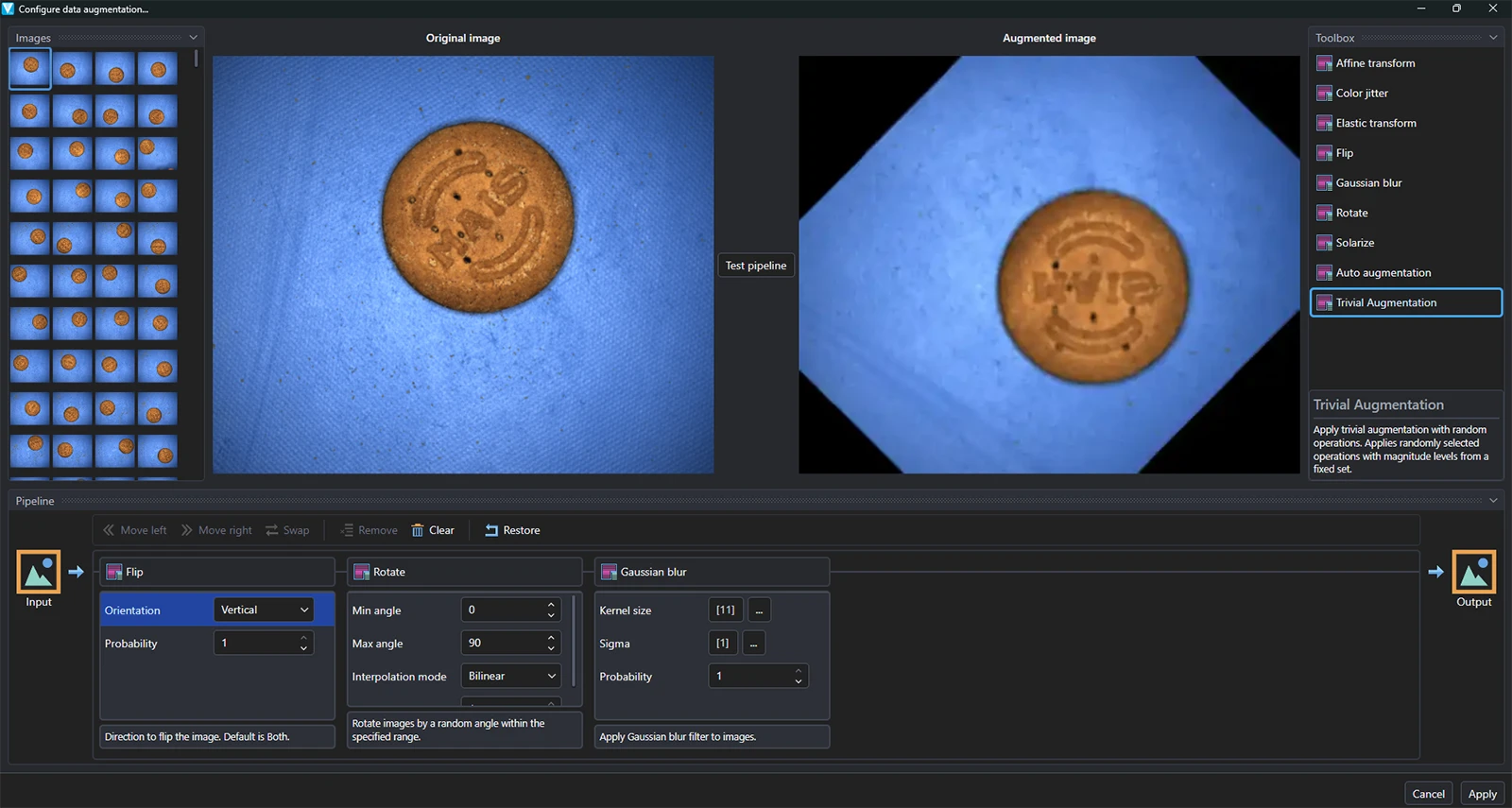
Generate realistic image variations, improve model robustness, reduce overfitting, and boost performance when training data is limited.
- Multiple augmentation operations
- Adjustable parameters
- Live preview
- Dataset-wide execution
Automated Dataset Splitting
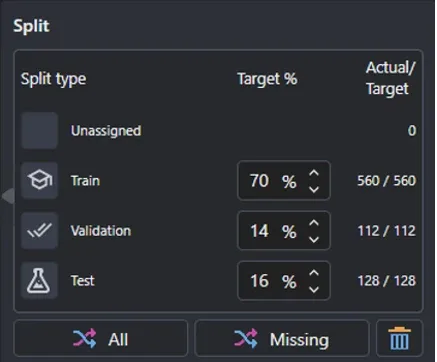
Proper dataset splitting is essential to accurately evaluate model performance. OEVIS® Deep Learning Trainer automatically separates images into training, validation, and test sets, ensuring that model evaluation is performed on unseen data and helping prevent overly optimistic results caused by overfitting. This approach provides a realistic assessment of model performance before deployment in production environments. OEVIS® Deep Learning Trainer provides dataset balancing utilities to help maintain representative class distributions and improve training quality.
- Automatic train/validation/test split creation
- Evaluation using unseen data
- Reduced risk of overfitting
- Dataset balancing and class distribution control
- Improved training quality and model reliability
- Realistic performance assessment before deployment
-
Training set
Used to train the neural network and learn inspection patterns. -
Validation set
Used during training to monitor performance and tune the model. -
Test set
Used only after training to evaluate performance on completely unseen images.
2. Model Training
Train deep learning models optimized for industrial inspection applications through a guided workflow. OEVIS® Deep Learning Trainer provides complete control over the training process while simplifying parameter configuration and performance evaluation.
Simplified Training, Professional Results
OEVIS® Deep Learning Trainer automatically manages many of the complexities traditionally associated with deep learning training. Users can focus on dataset quality and inspection objectives while the software provides guided parameter management, performance monitoring, and model validation tools.
- Configurable training parameters
- Multiple neural network architectures
- CPU and GPU (CUDA) training support
- Real-time training metrics visualization
- Training and validation tracking
- Model version management
Training Parameters
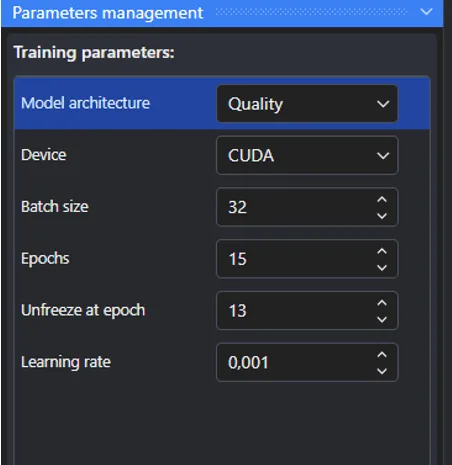
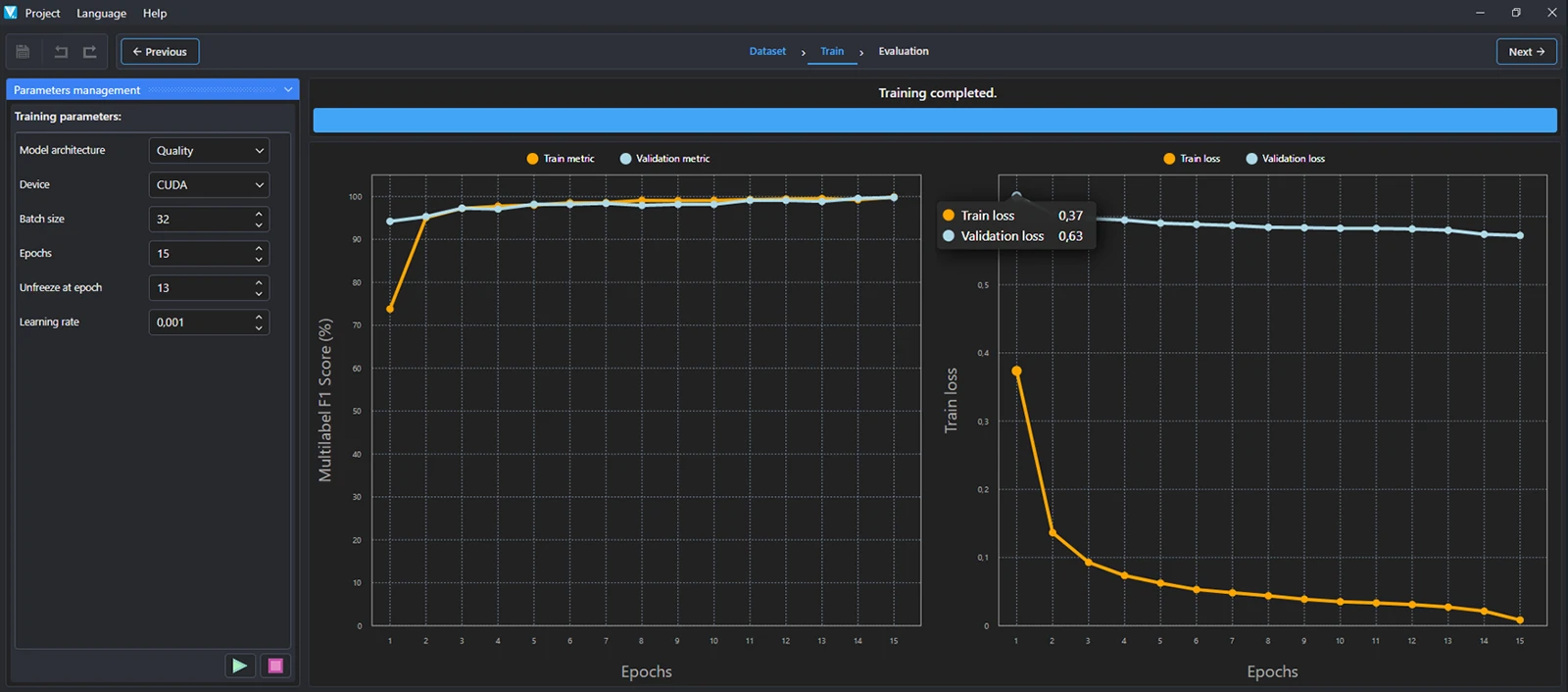
Configure model architecture, training settings, and hardware resources through a guided interface designed for efficient AI model development.
Model Architecture
Choose between two neural network architectures optimized for different deployment requirements:
- Quality: Maximizes accuracy and inspection performance. Recommended when defect detection reliability is the highest priority.
- Fast: Optimized for faster training and inference times while maintaining excellent performance. Ideal for high-speed applications and resource-constrained systems.
Device
Select the hardware used for training:
- CUDA GPU: Significantly reduces training time by leveraging NVIDIA GPU acceleration.
- CPU: Allows training on systems without dedicated GPU hardware.
Batch Size
Defines the number of images processed before the model updates its internal parameters.
- Larger batch sizes typically provide faster training.
- Smaller batch sizes can reduce memory usage and sometimes improve generalization.
Epochs
An epoch represents one complete pass through the entire training dataset.
- More epochs generally improve learning.
- Excessive epochs may lead to overfitting.
- Recommended values depend on dataset size and application complexity.
Unfreeze at Epoch
Controls when previously frozen neural network layers are released for fine-tuning during the last phases of training.
- Speeds up initial convergence.
- Enables more precise optimization during later training stages.
Learning Rate
Controls how quickly the model adapts during training.
- Higher values accelerate learning but may reduce stability.
- Lower values provide more precise optimization at the cost of longer training times.
Real-Time Training Monitoring
During training, OEVIS® Deep Learning Trainer continuously displays key performance metrics such as accuracy and loss for both training and validation datasets. These charts provide immediate feedback on model convergence, helping users identify underfitting, overfitting, and training progress at a glance.
Hardware Acceleration
Training can be executed either on CPU or NVIDIA CUDA-enabled GPUs, significantly reducing training times for large datasets.
3. Model Evaluation
Validate model performance before deployment and identify potential weaknesses before moving into production.
Training Charts
Monitor training and validation performance through interactive charts displayed in the Charts tab. Key metrics include:
- Training accuracy
- Validation accuracy
- Training loss
- Validation loss
- Training progress over epochs
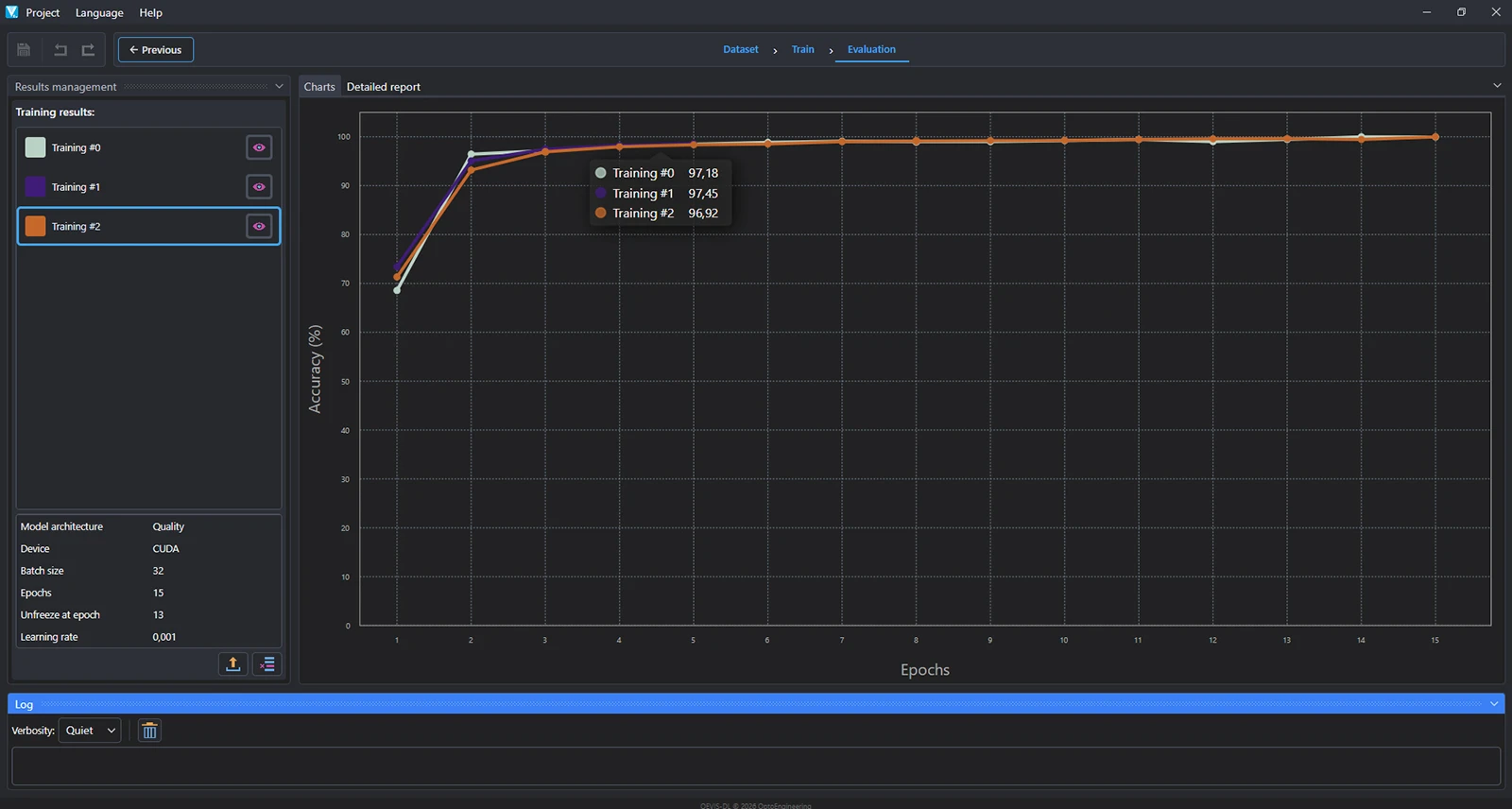
Accuracy represents the percentage of correctly classified samples and provides a quick indication of the model's overall performance. Comparing training and validation accuracy over time helps evaluate generalization capability and ensure the model performs consistently on unseen data.
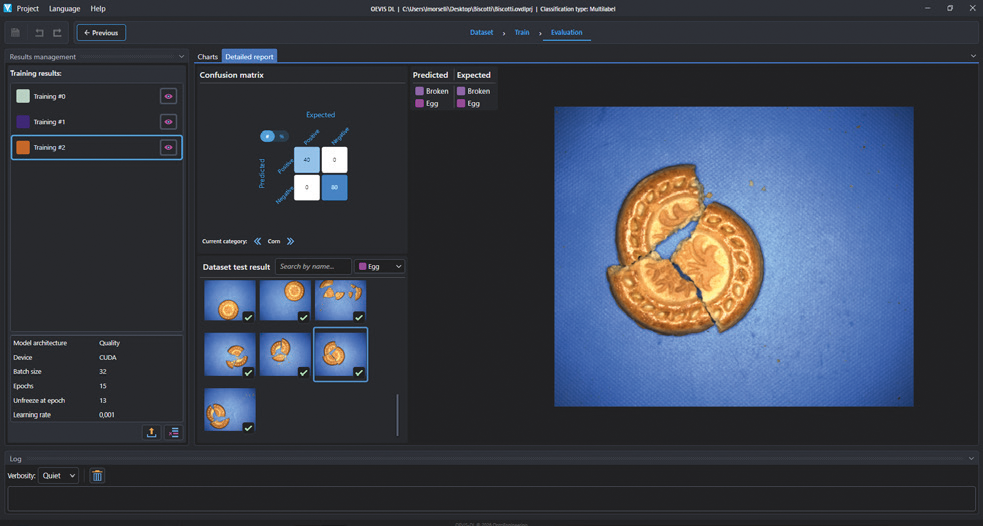
Detailed Model Analysis
The Detailed Report tab provides a comprehensive evaluation of model performance on the validation and test datasets. Key capabilities:
- Confusion matrix analysis
- Predicted vs. expected class comparison
- Image-by-image validation
- Visual inspection of predictions
- Model comparison
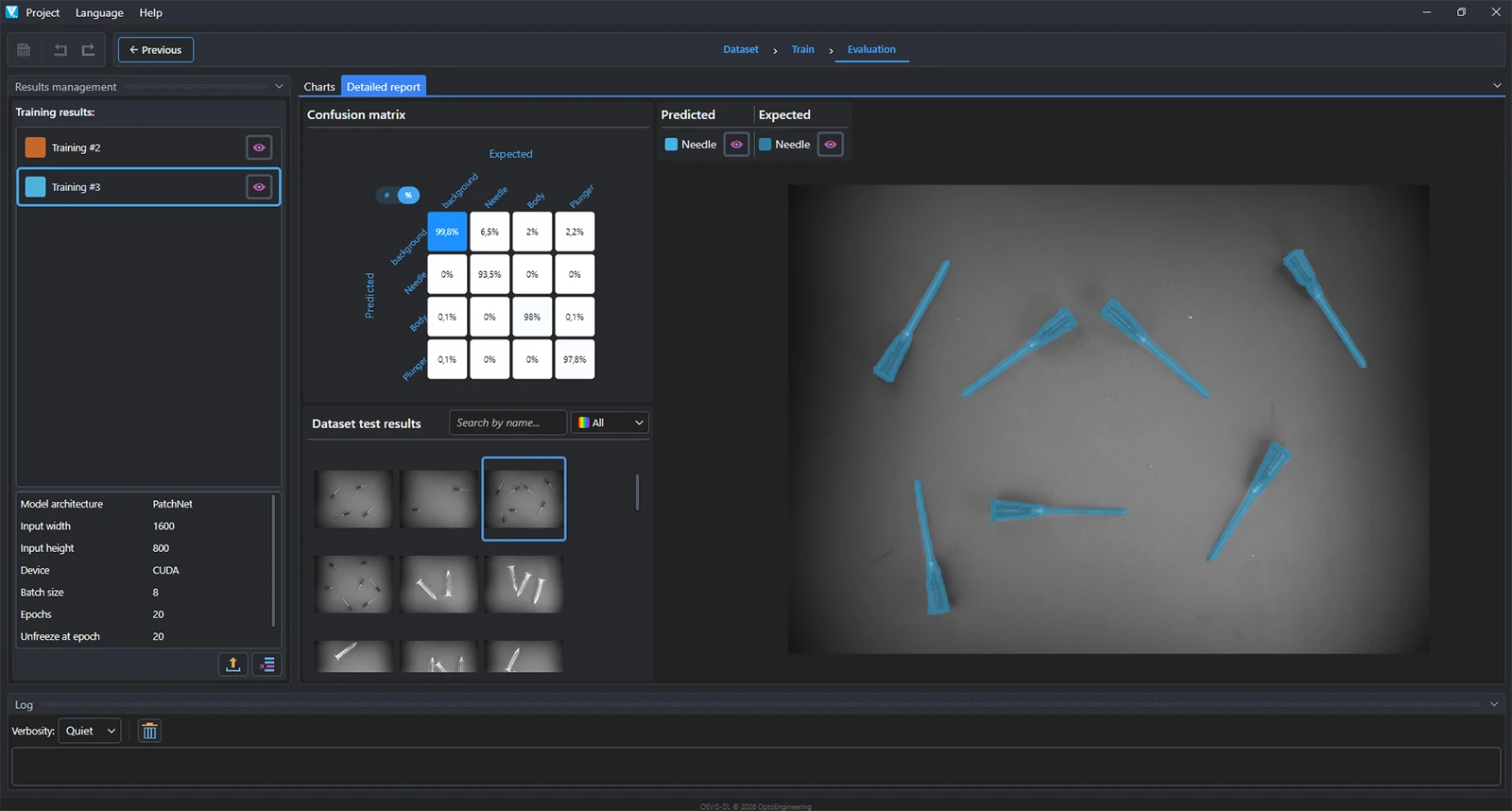
The confusion matrix provides a detailed breakdown of classification results, showing how many samples were correctly classified and where misclassifications occur. This helps identify problematic classes and guides further dataset improvements.
Visual Validation
Inspect individual images together with their predicted and expected labels to better understand model behavior and verify real-world performance. This image-level analysis helps identify labeling issues, difficult samples, and edge cases before deployment.
4. Deployment in OEVIS®
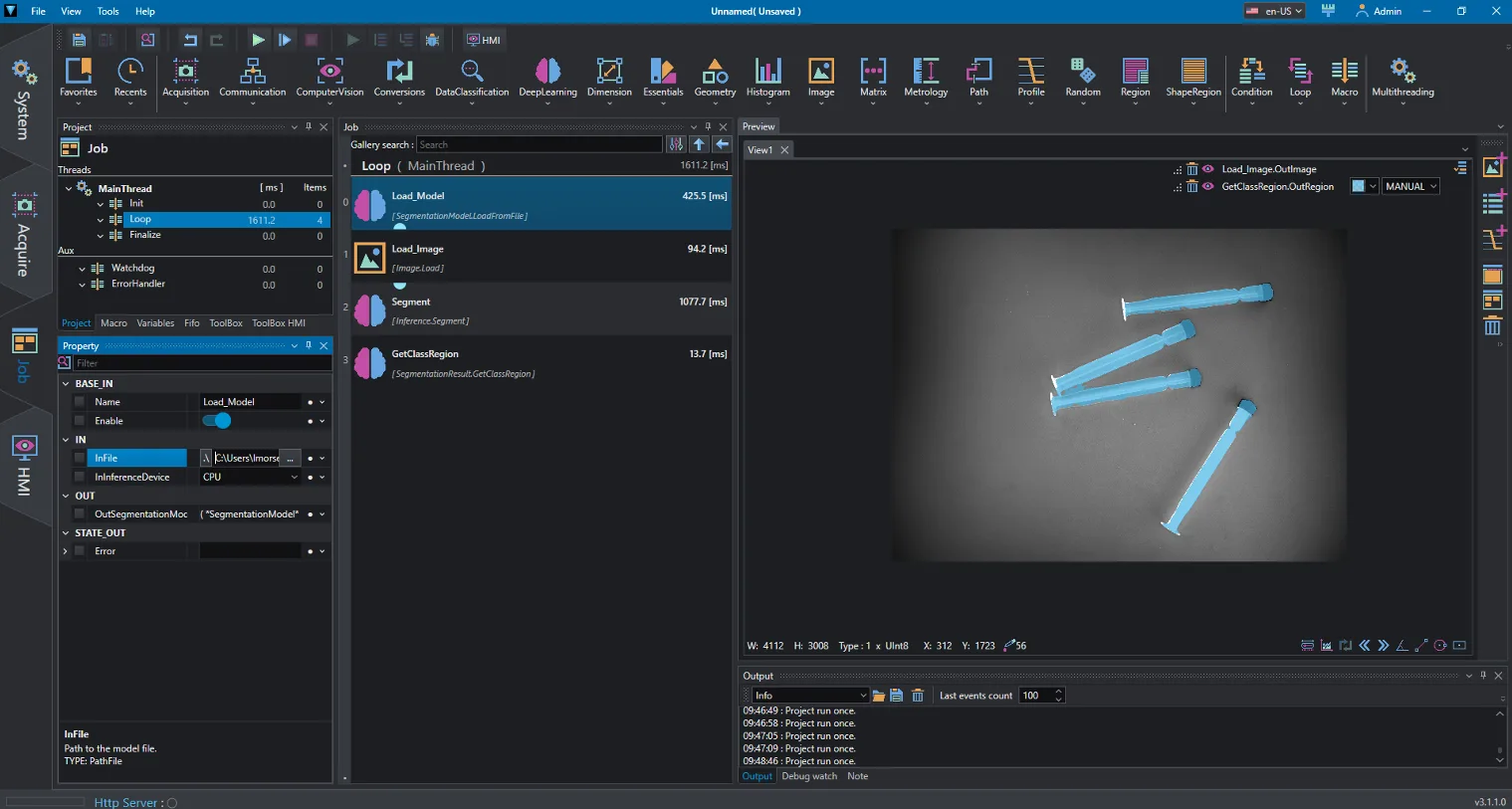
Deploy trained models directly inside OEVIS® inspection projects and seamlessly combine AI-powered analysis with traditional machine vision tools.
AI and Rule-Based Vision in a Single Workflow
Unlike standalone AI solutions, OEVIS® allows Deep Learning models to operate alongside traditional machine vision tools within the same inspection flow. Model outputs can be directly integrated with:
- Blob Analysis
- Measurements
- OCR
- Alignment
- Decision Logic
- PLC Communication
- HMI Applications
This hybrid approach combines the adaptability of Deep Learning with the precision and repeatability of rule-based vision, enabling robust inspection solutions for demanding industrial applications.
OEVIS® is an all-in-one vision software available for Windows-based PC systems.
Why an all-in-one software?
- Within the same software you can acquire and process images, communicate with diverse hardware and design an intuitive front-end for the final user of the vision application
- Use the same license to develop and execute the inspection (combines developer with runtime)
- Without additional licenses you can remotely modify a vision application that is running on the factory floor to
- Add new vision tasks
- Modify the line speed, change parts size, increase the camera resolution and so on
Part numbers
Two types of Licenses and a Service contract are provided:
- Basic license: license required to develop and run a vision program.
- Add-on license: optional additional license that allows you to expand the functionality of the basic License
- Service contract: This contract provides the user with technical support and upgrades for each basic or add-on license to the latest released version, including bug fixes
| Part Number | Description | Main capability | License type/Contract | Perpetual | License distribution |
|---|---|---|---|---|---|
| OEVIS | All-in-one machine vision software on USB dongle | Build and Run Vision Applications | Base License | YES | USB dongle |
| OEVIS-A-D-L (1, 2) | OEVIS Deep Learning Model Execution Add-on | Deploy and Run Models Created with OEVIS Deep Learning Trainer | Add-on License | YES | USB dongle (4) |
OEVIS-A-M (1) |
OEVIS multithreading add-on | Enable execution of parallel OEVIS threads | Add-on License | YES | USB dongle (4) |
| OEVIS-EXT (3) | OEVIS 365-days support & updates service | Access Updates and Technical Support | Service Contract | NO | n.a. |
Notes
- Available exclusively in combination with an OEVIS Base License.
- OEVIS-A-DL is required to deploy and run deep learning models created with OEVIS® Deep Learning Trainer within OEVIS® Vision Software. OEVIS® Deep Learning Trainer is provided free of charge for dataset preparation, annotation, model training, and validation. This add-on is not required to run ONNX-compatible models trained in external environments.
- This service must be purchased when ordering OEVIS for the first time. If you buy OEVIS through an authorized distributor, they will handle your technical support. Contact us to find out whether you can order directly or via a local distributor.
- Add-on licenses are activated on the same USB dongle as the corresponding OEVIS® Base License. No additional USB dongle is required.
What is OEVIS-EXT?
OEVIS-EXT is a service contract that lasts 365 days and includes:
- Dedicated technical support (1), comprising assistance related to use and operation of the Software, up-to-date documentation, the right to use and modify the sample programs included in the Software
- Upgrade of each License to the latest version of OEVIS (including bug fixes) released before the end of the contract term
- Access to purchase of new Add-ons released before the end of the contract term
Only one OEVIS-EXT service contract per customer is required along with the purchase of the first OEVIS license, regardless of the number of OEVIS licenses and related add-ons ordered.
Opto Engineering® recommends to renew OEVIS-EXT annually. Contact us for further details about OEVIS-EXT terms of service.
Notes
1. If you buy OEVIS through an authorized distributor, they will handle your technical support. Contact us to find out whether you can order directly or via a local distributor.
Tech notes

Documentation
Browse the full documentation including getting started guide, explanation of tools and data types, multiple example projects and much more
Want to know more?
Try OEVIS® for free
Try OEVIS® free for 30 days, including all features and add-ons

How to get OEVIS®
Have you already purchased OEVIS®?
- download OEVIS® installers
- update your hardware license key